
Immutable storage in Azure Blob Storage makes backups impossible to change or delete for a set period, even for an administrator. Business IT Support configures it as protection against ransomware and tests that the data can come back.
Why a backup must be protected
Today, modern ransomware groups first look for the backups. If they can delete or encrypt them, the company has no choice but to negotiate. Therefore, a backup that an attacker can reach with stolen administrator credentials offers little real protection.
Immutable storage solves this by following the WORM principle: write once, read many. Once a file is written, nobody can change or delete it until the retention period ends. As a result, at least one clean copy survives the attack, and the company can restore its systems without paying a ransom.
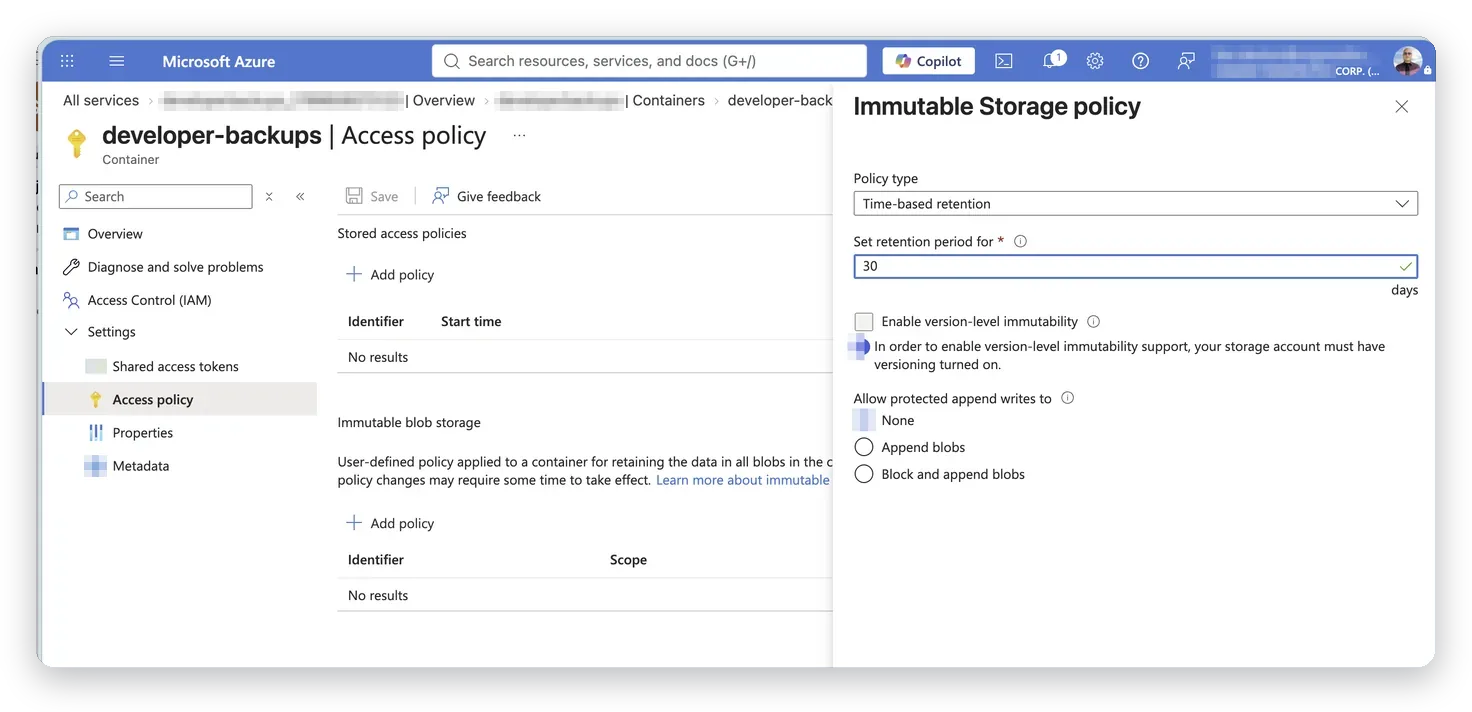
Time-based retention and legal hold in immutable storage
In short, Azure offers two types of immutability policies. Time-based retention keeps every blob locked for a fixed number of days, for example 30 or 90. In addition, a legal hold locks data until someone removes the hold, which suits investigations and disputes.
A time-based policy can be unlocked while you test it and locked when it works. However, once locked, nobody can shorten the period, not even Microsoft support. Therefore, we choose the length carefully together with you, because a locked policy also affects the cost.
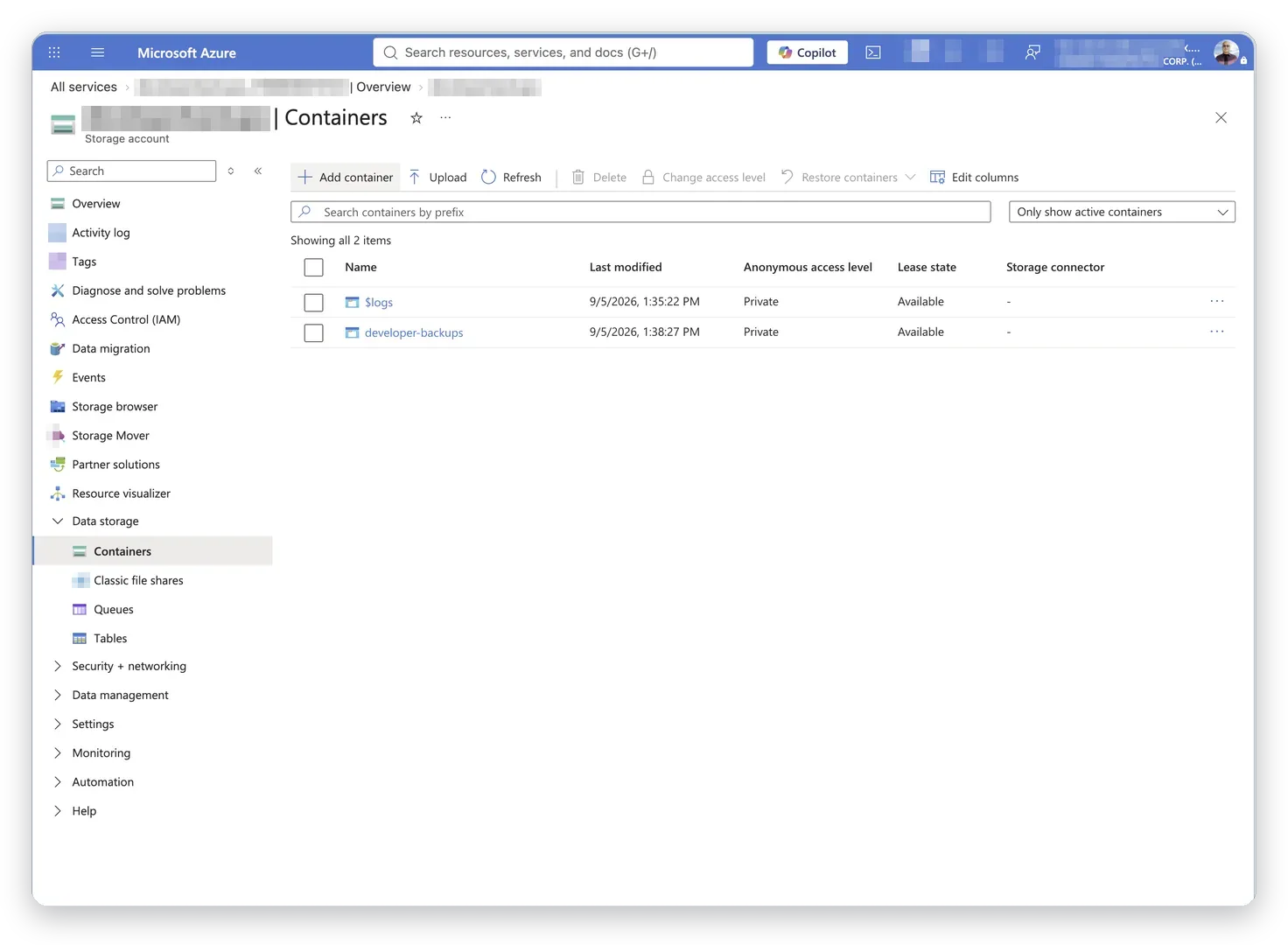
Complementary protection and redundancy
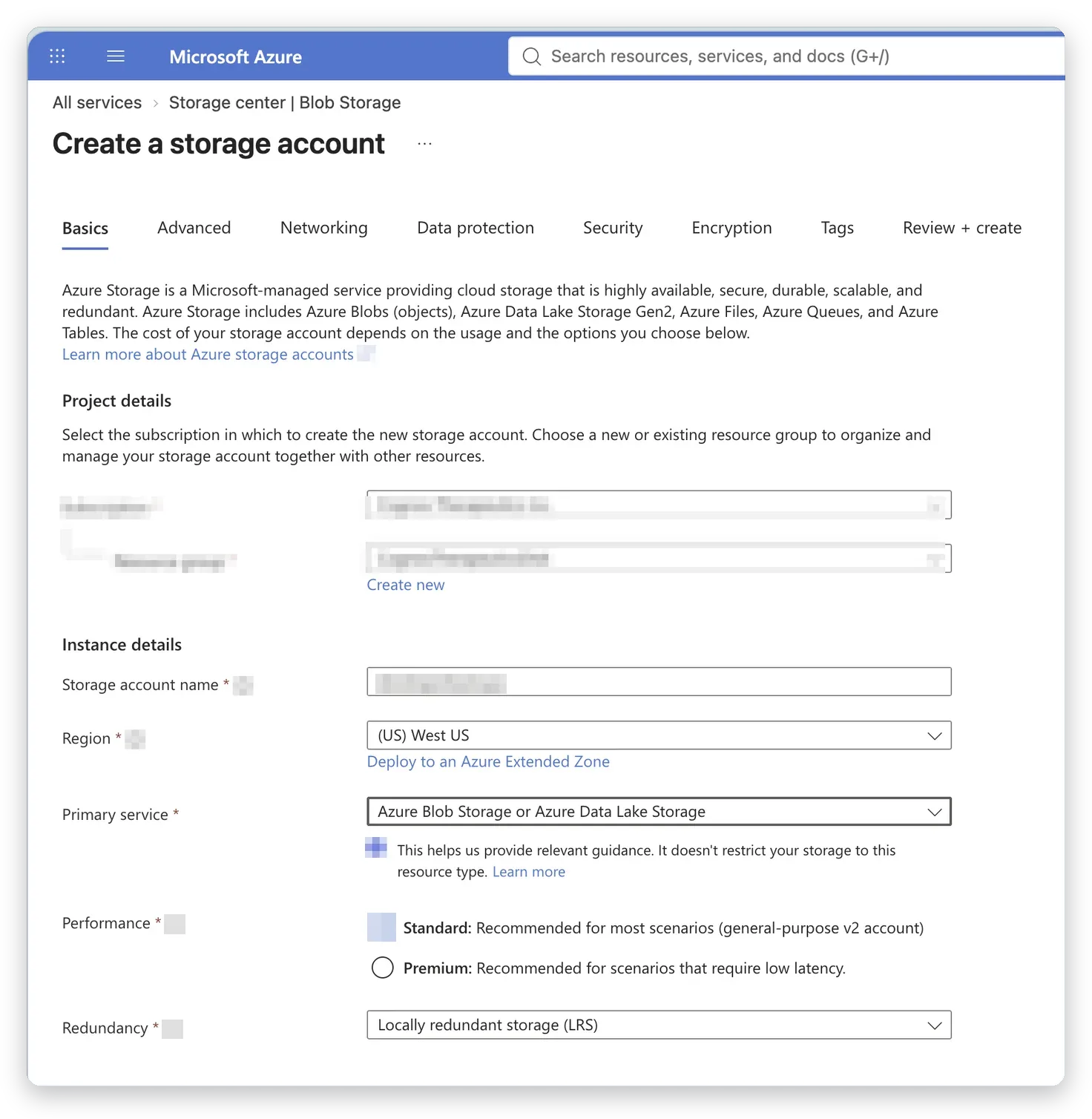
Immutable storage works best together with other measures. For example, soft delete and versioning protect against mistakes, while geo-redundant storage keeps a copy in a second region. Moreover, we separate the backup account from the production environment with its own administrators and multi-factor authentication.
We also limit network access to the backup account and turn off shared key access where the backup software allows it. Consequently, an attacker who takes over a production server cannot reach the backups.
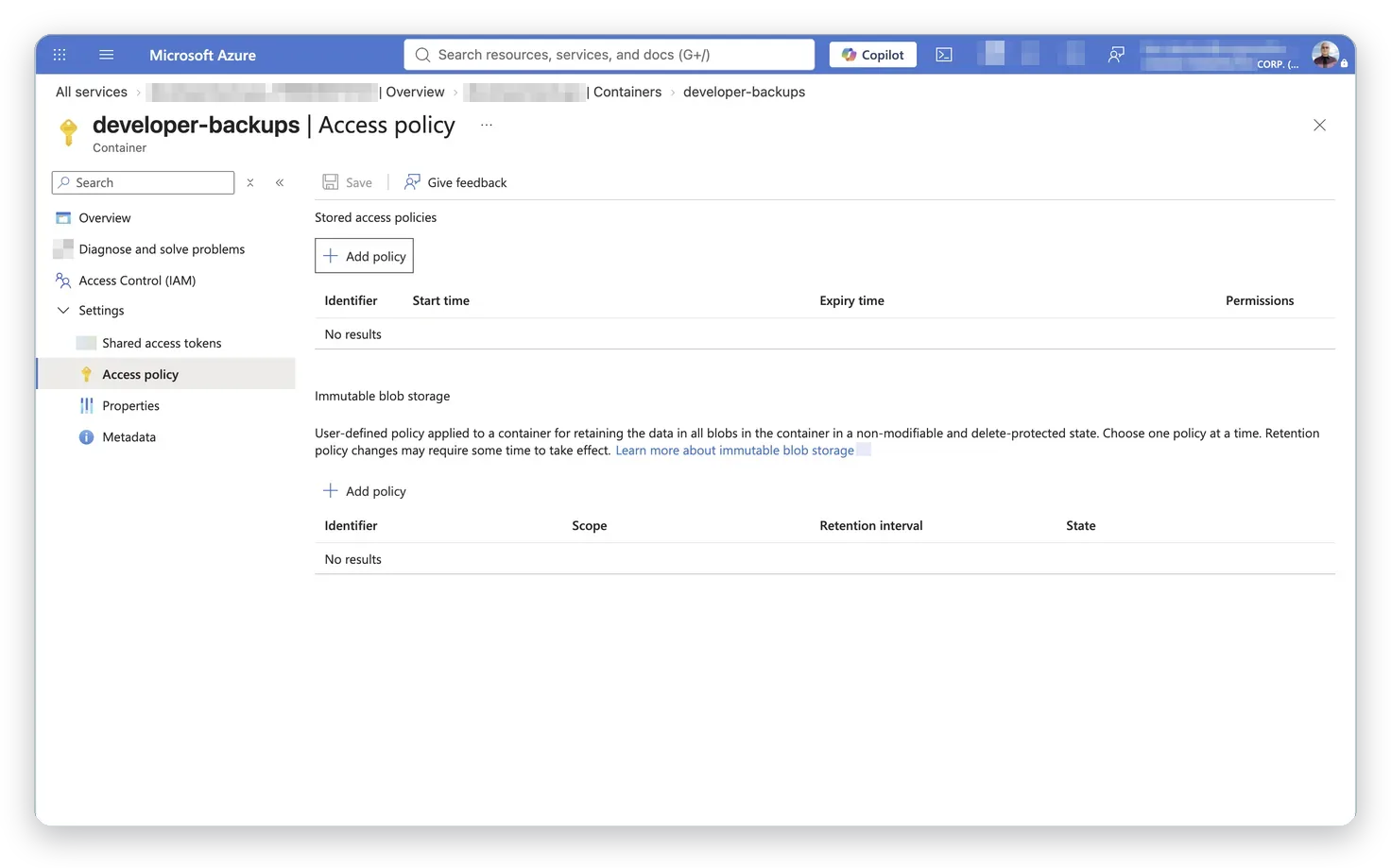
Restore tests and daily operations
A backup is only as good as the last successful restore. Therefore, we test restores regularly, both single files and whole systems, and document how long it takes. In addition, we monitor that new backups arrive every day and raise an alert if one is missing.
We also follow the storage cost, because locked data cannot be deleted early. As a result, the protection stays both effective and predictable over time.
Furthermore, we write a short recovery plan that names who decides, which copy to use and in which order the systems come back. Because stress is high during an attack, a written plan saves valuable hours and avoids mistakes.
Contact Datorkirurgen AB about immutable storage
Business IT Support is part of Datorkirurgen AB, which has more than 30 years of experience in IT for businesses. We set up immutable storage and ransomware-resistant backups for companies remotely anywhere, and on site in Stockholm and across Sweden.
In addition, our prices start at €250 per hour excluding VAT, or as agreed, and we guarantee to solve the problem. Microsoft describes the feature in its immutable storage documentation. Contact us, and we will review your backups.
Frequently asked questions about immutable storage
Basic questions
- What is immutable storage?
- What does WORM mean?
- How does it protect against ransomware?
- Can an administrator delete locked data?
- What is time-based retention?
- What is a legal hold?
- How long should the retention period be?
- Can we shorten a locked policy?
- Does immutable storage cost extra?
- Which backup software supports it?
Protection and design
- What is soft delete?
- What is versioning?
- Should we use geo-redundant storage?
- Should backups live in a separate subscription?
- Can we turn off shared key access?
- How do we limit network access?
- Who should administer the backup account?
- Do we need multi-factor authentication?
- Can a NAS back up to immutable storage?
- Can Microsoft 365 data go there too?
Restore and support
- How often should we test a restore?
- How long does a restore take?
- How do we know a backup arrived?
- Can you set up alerts for missing backups?
- Can you calculate the cost?
- Can you review our current backups?
- Can you help after a ransomware attack?
- Do you work outside office hours?
- Do you offer ongoing support?
- How do I contact you about immutable storage?