
A SAS token gives time-limited access to a specific part of Azure Storage, while RBAC roles give access through identities. Business IT Support combines both correctly, reviews permissions and acts fast when a key or token leaks.
Two ways to give access in Azure
Role-based access control (RBAC) gives users, groups and applications a role, for example Storage Blob Data Reader, through Microsoft Entra ID. Because the access follows the identity, it disappears when the account closes. Therefore, RBAC is the first choice for staff and internal systems.
A shared access signature, or SAS token, is instead a signed link with permissions and an expiry time. It suits external partners, applications without an Entra identity and temporary uploads. However, anyone who holds the link can use it until it expires.
How we use a SAS token safely
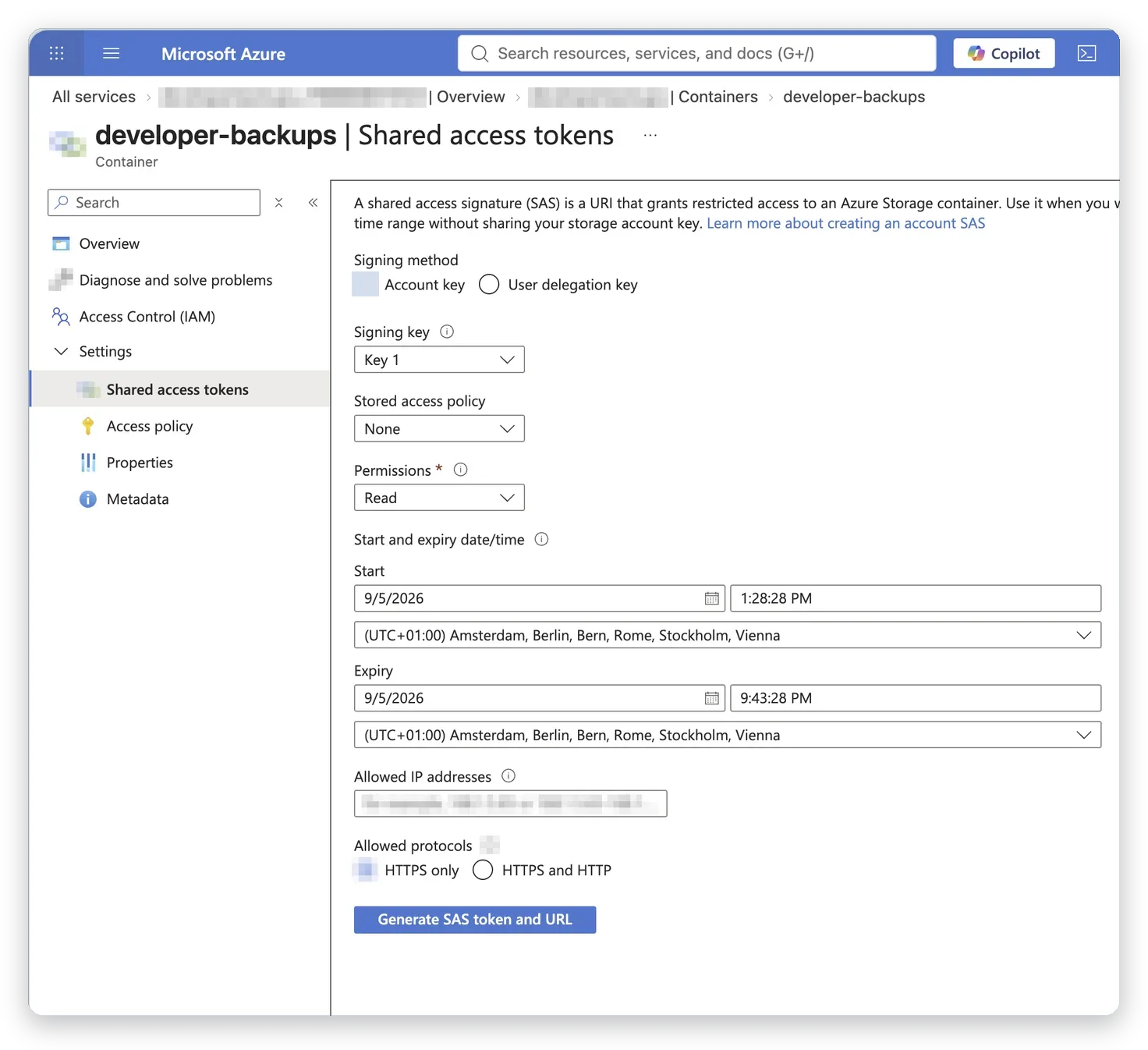
First of all, we prefer a user delegation SAS, which Entra ID signs instead of the account key. Then we give the token only the permissions it needs, for example write but not read, and only on one container. In addition, we set a short lifetime and, where possible, limit the token to known IP addresses and HTTPS.
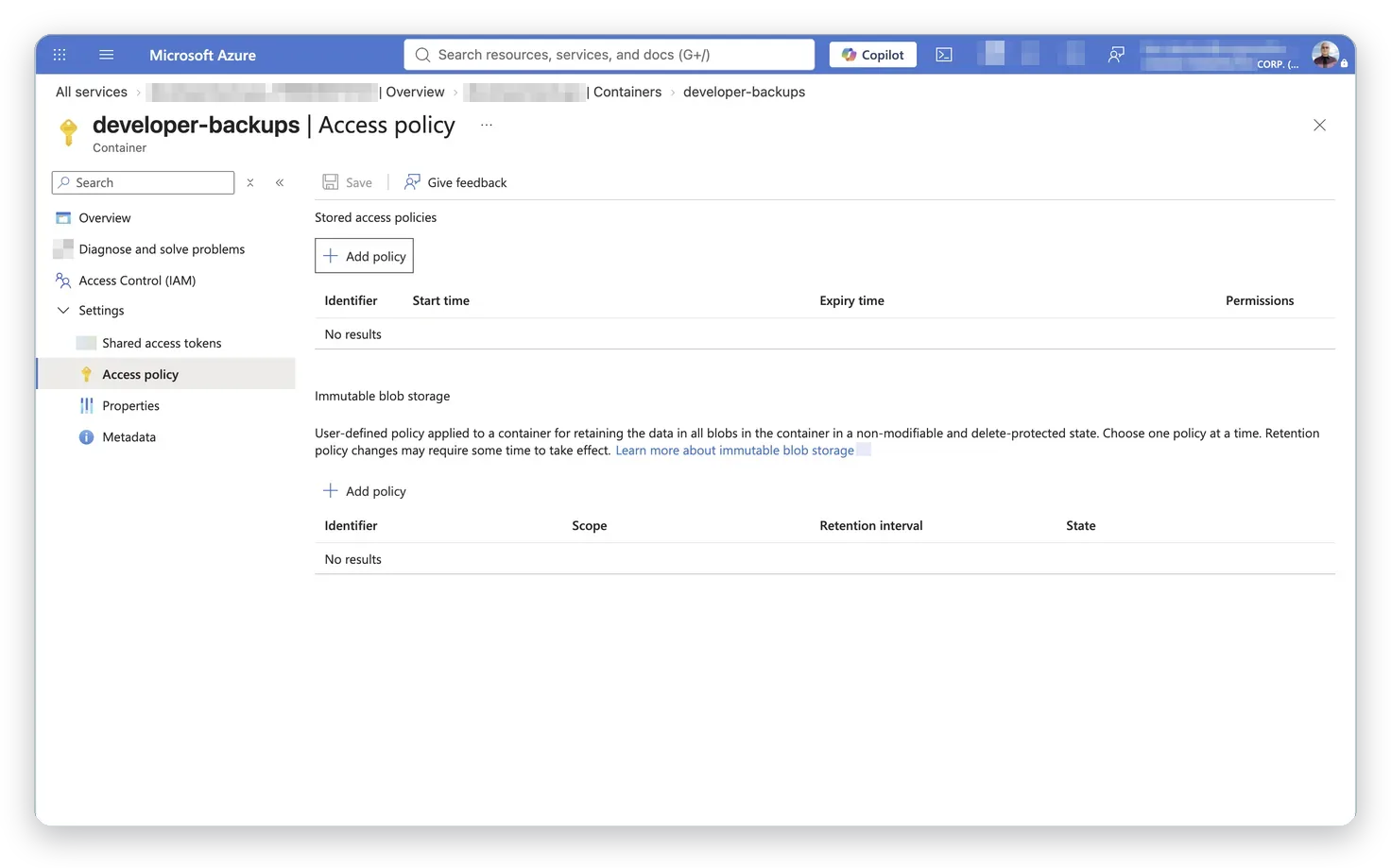
For recurring needs, we connect the SAS token to a stored access policy. As a result, we can revoke many tokens at once by changing the policy, without rotating the account keys.
Reviewing role assignments and permissions
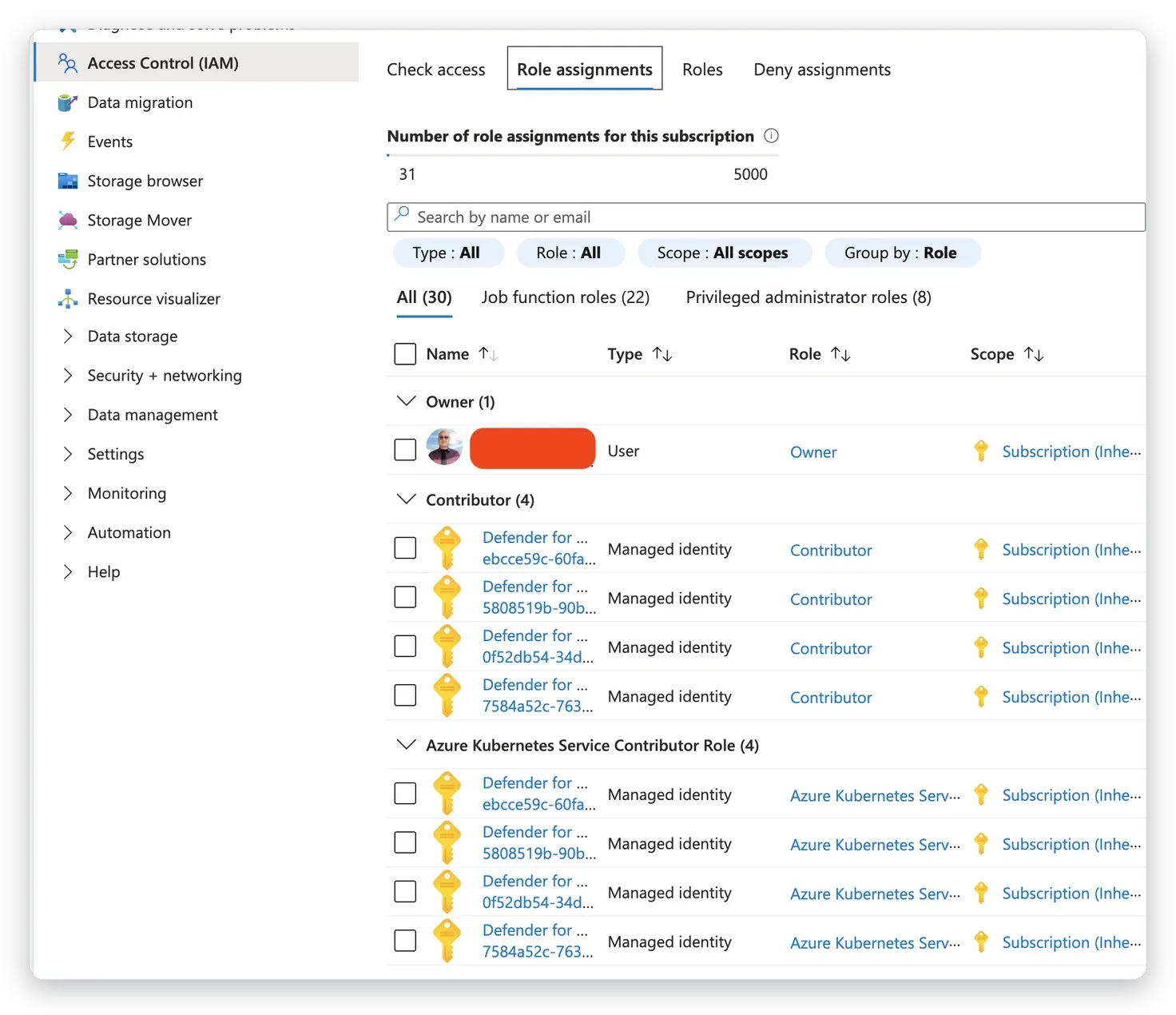
Over time, role assignments tend to grow. For example, a consultant keeps the Owner role long after the project ends, or a test application still has write access. Therefore, we review all role assignments on subscriptions, resource groups and storage accounts regularly.
Moreover, we replace broad roles such as Contributor with narrower data roles where possible. Consequently, each identity gets exactly what it needs, and an account takeover causes less damage.
What happens when a key or SAS token leaks
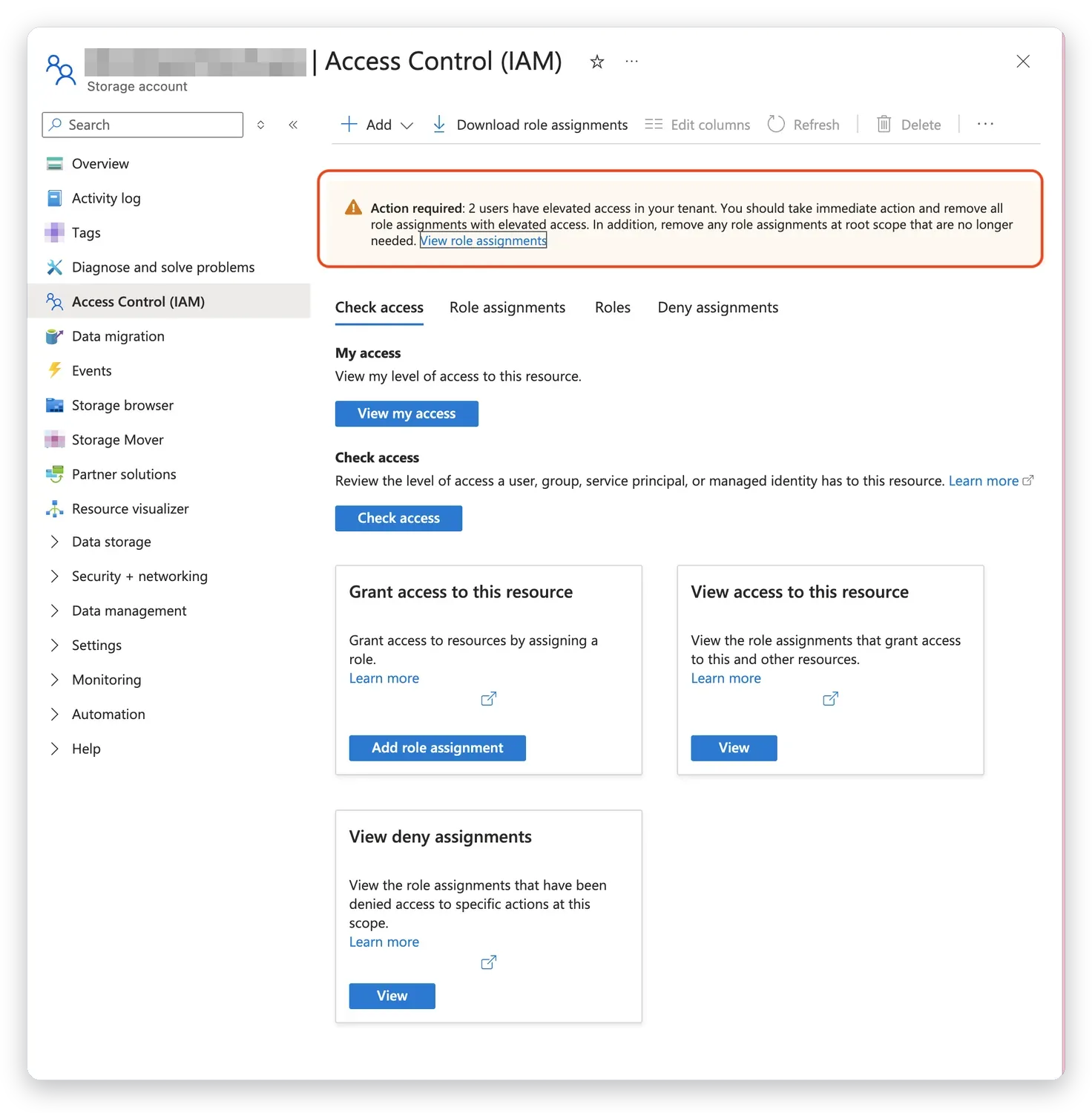
If an account key or a SAS token ends up in an email, a public repository or a chat, we act at once. Account key SAS tokens stop working only when we rotate the key that signed them, so we rotate it and update every application that uses it. A user delegation SAS, by contrast, we revoke by removing the delegation key.
After that, we read the storage logs to see whether anyone used the token. Finally, we review how the leak happened and change the routine, so secrets stay in a key vault instead of in documents.
Contact Datorkirurgen AB about SAS tokens and RBAC
Business IT Support is part of Datorkirurgen AB, which has more than 30 years of experience in IT for businesses. We design access control for Azure Storage, review permissions and handle leaked keys for companies remotely anywhere, and on site in Stockholm and across Sweden.
In addition, our prices start at €250 per hour excluding VAT, or as agreed, and we guarantee to solve the problem. Microsoft describes SAS in its SAS documentation. Contact us, and we will review the access to your storage accounts.
Frequently asked questions about SAS token and RBAC
Basic questions
- What is a SAS token?
- What is RBAC?
- When should we use a SAS token?
- When should we use RBAC instead?
- What is a user delegation SAS?
- What is a stored access policy?
- How long should a SAS token last?
- Can we limit a token to an IP address?
- What is the account key?
- Why should we avoid the account key?
Roles and permissions
- Which role gives read access to blobs?
- What is the difference between Owner and Contributor?
- How do we review role assignments?
- How often should we review permissions?
- Can a guest user get access?
- What is Privileged Identity Management?
- How do we remove access for a former consultant?
- Can applications use managed identities?
- Where should we store secrets?
- What is Azure Key Vault?
Leaks and support
- What should we do if a key leaks?
- How do we revoke a SAS token?
- How do we rotate the account keys?
- Can we see if someone used a leaked token?
- Can we disable shared key access?
- Can you review our storage accounts?
- Can you set up Key Vault for us?
- Do you work outside office hours?
- Do you offer ongoing support?
- How do I contact you about SAS tokens?