
A TLS certificate proves that visitors reach the right website over an encrypted connection. When the certificate fails, browsers show a frightening warning, and most visitors leave. Business IT Support fixes certificate errors, HTTPS redirects and the server configuration behind them.
Why certificate errors cost the business customers
Today, modern browsers block a site with an invalid certificate behind a full-page warning. As a result, few visitors click past it, and even fewer fill in a contact form afterwards. In addition, search engines notice the problem, and the site risks losing visibility.
Certificate errors also damage trust. For instance, a customer who sees a warning on a company website may suspect an attack, even when the cause is a simple configuration mistake. Therefore, fast and correct handling matters.
How a TLS certificate works and what name mismatch means
In short, a TLS certificate contains one or more domain names, a validity period and a signature from a certificate authority. When a visitor connects, the server presents the certificate, and the browser checks that the name matches the address. If the names differ, the browser reports a name mismatch.
Typical causes include a certificate that covers example.com but not www.example.com, or a server that presents the certificate of another site. Moreover, an expired certificate or a missing intermediate certificate gives similar warnings. We identify the exact cause with tools such as openssl and the browser’s certificate viewer.
Virtual hosts, HTTP to HTTPS redirects and loops
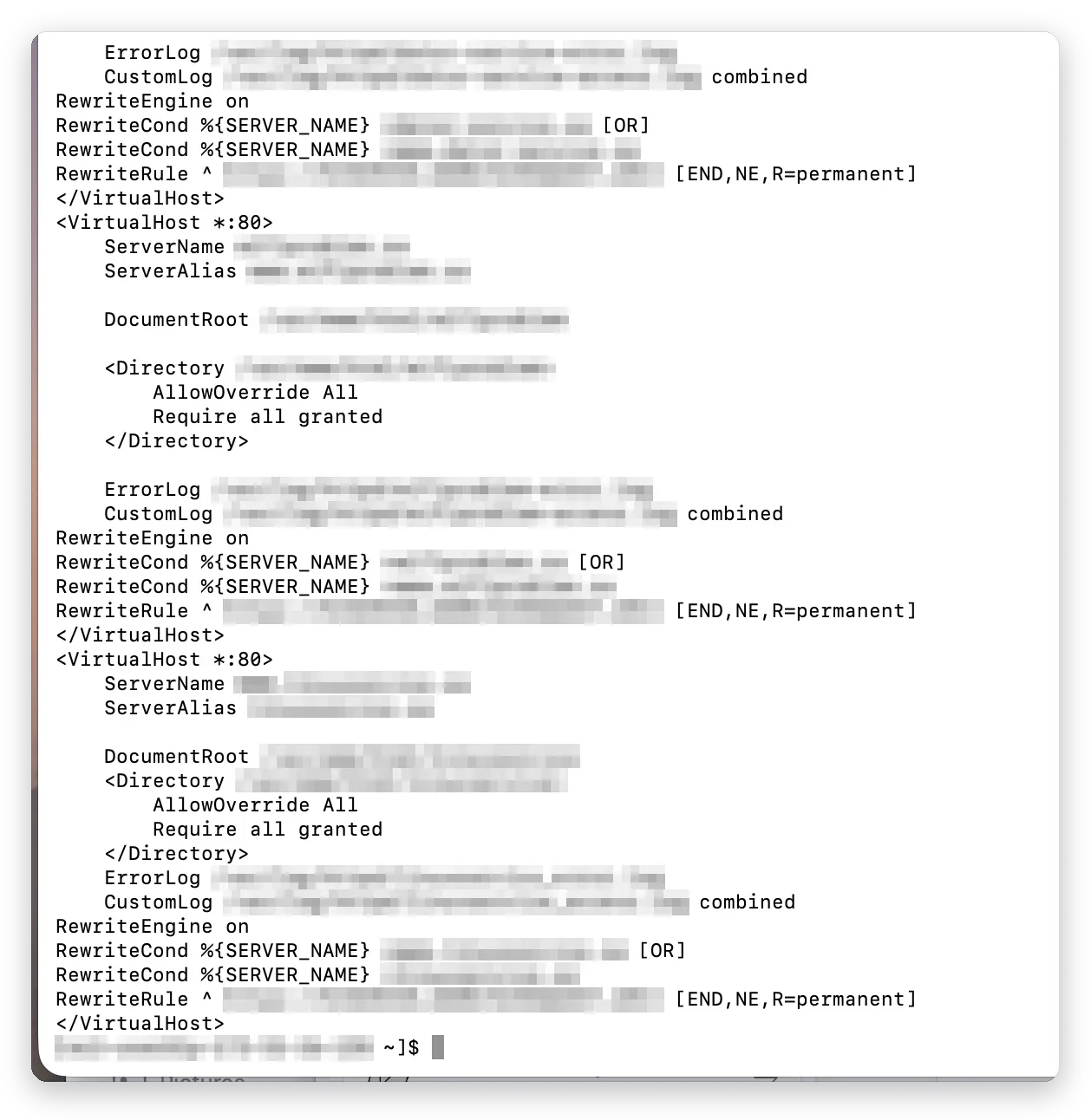
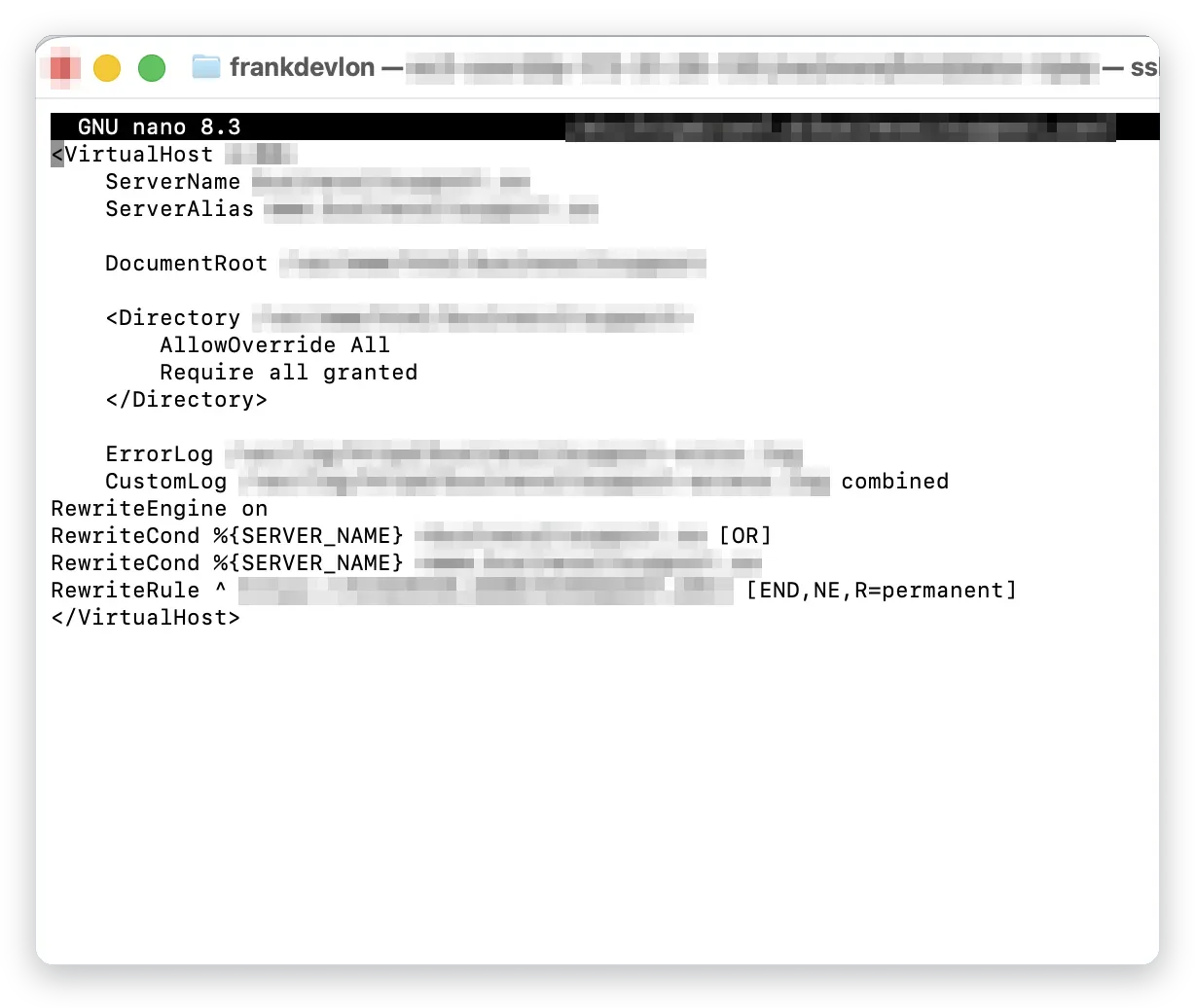
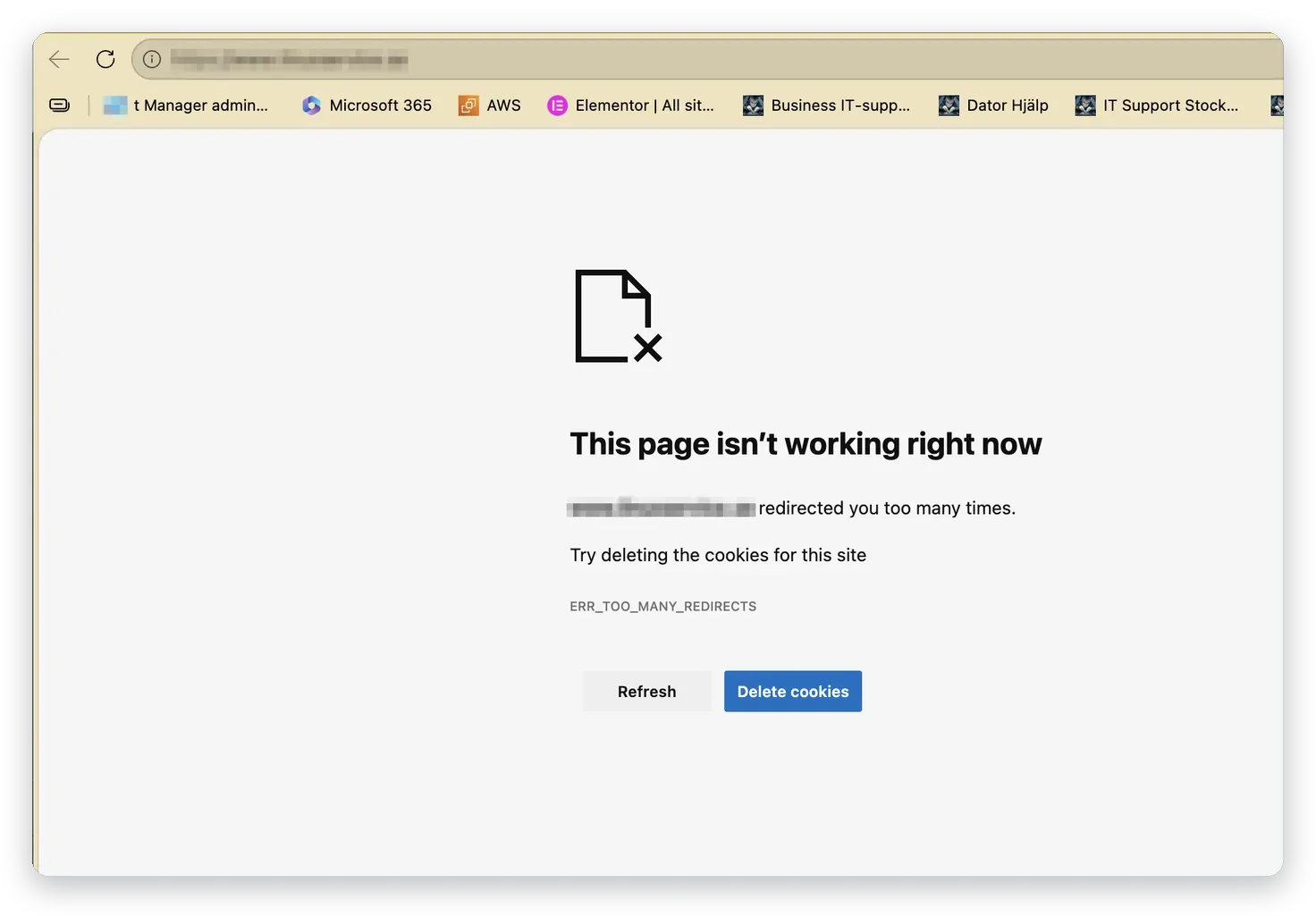
On Apache, for example, every site has a virtual host for port 80 and one for port 443. The port 80 host should redirect visitors to HTTPS, and the 443 host should present the correct certificate. However, small mistakes create loops, where the browser bounces between addresses and finally shows ERR_TOO_MANY_REDIRECTS.
Such loops often appear when WordPress, a proxy or a load balancer also redirects. For that reason, we check every layer and keep one clear redirect. Before every restart, we also run apachectl configtest, so a syntax error never stops the web server.

Renewal, monitoring and prevention
Certificates from Let’s Encrypt last 90 days, and certificate authorities are moving towards even shorter lifetimes in the coming years. Therefore, renewal must run automatically with Certbot or a similar tool. We also test that the renewal actually reloads the web server.
In addition, we monitor the expiry dates of all certificates and receive an alert well in advance. As a result, the next expiry never comes as a surprise, and the visitors keep a secure connection.
Furthermore, we review the TLS settings themselves. For instance, old protocol versions such as TLS 1.0 and 1.1 should be disabled, and the server should prefer modern cipher suites. Consequently, the site passes security scans, and visitors with up-to-date browsers get the strongest protection available.
Contact Datorkirurgen AB about TLS certificate errors
Business IT Support is part of Datorkirurgen AB, which has more than 30 years of experience in IT for businesses. We fix certificate errors, HTTPS redirects and Apache configuration for companies remotely anywhere, and on site in Stockholm and across Sweden.
In addition, our prices start at €250 per hour excluding VAT, or as agreed, and we guarantee to solve the problem. Let’s Encrypt explains certificates in its documentation. Contact us as soon as visitors see a warning.
Frequently asked questions about TLS certificate errors
Basic questions
- What is a TLS certificate?
- What is the difference between SSL and TLS?
- What does name mismatch mean?
- Why does the browser say the connection is not private?
- Does the certificate need to cover www?
- What is an intermediate certificate?
- What is a wildcard certificate?
- Is Let’s Encrypt good enough for a business?
- How long does a certificate last?
- Who issues certificates?
HTTPS, redirects and the server
- How do we redirect HTTP to HTTPS?
- What is ERR_TOO_MANY_REDIRECTS?
- Why does WordPress cause redirect loops?
- What is a virtual host?
- What does apachectl configtest do?
- Can a proxy break HTTPS?
- What is HSTS?
- How do we test our certificate?
- Why does only one browser show a warning?
- Can several sites share one server?
Renewal and support
- How does automatic renewal work?
- Why did automatic renewal fail?
- Will certificate lifetimes get shorter?
- Can you monitor our certificates?
- Do you support Nginx as well?
- Do you support Amazon Linux and Ubuntu?
- Can you fix the error remotely?
- Do you work outside office hours?
- Do you offer ongoing support?
- How do I contact you about a TLS certificate?