
A Search Console analysis turns Google’s own data about your website into concrete improvements. Business IT Support reviews performance, queries, indexing and technical health, and we deliver a prioritised action list that the business can follow.
Why a Search Console analysis?
Google Search Console is the only source that shows exactly how Google sees your website: which searches show it, how often people click and which pages have problems. However, the reports are many and sometimes hard to interpret. As a result, important signals often go unnoticed.
A structured analysis connects the numbers to the business. For example, a peak in clicks may point to a successful article, while a sudden fall can reveal a technical error or a hack. Therefore, we look at trends, not single days.
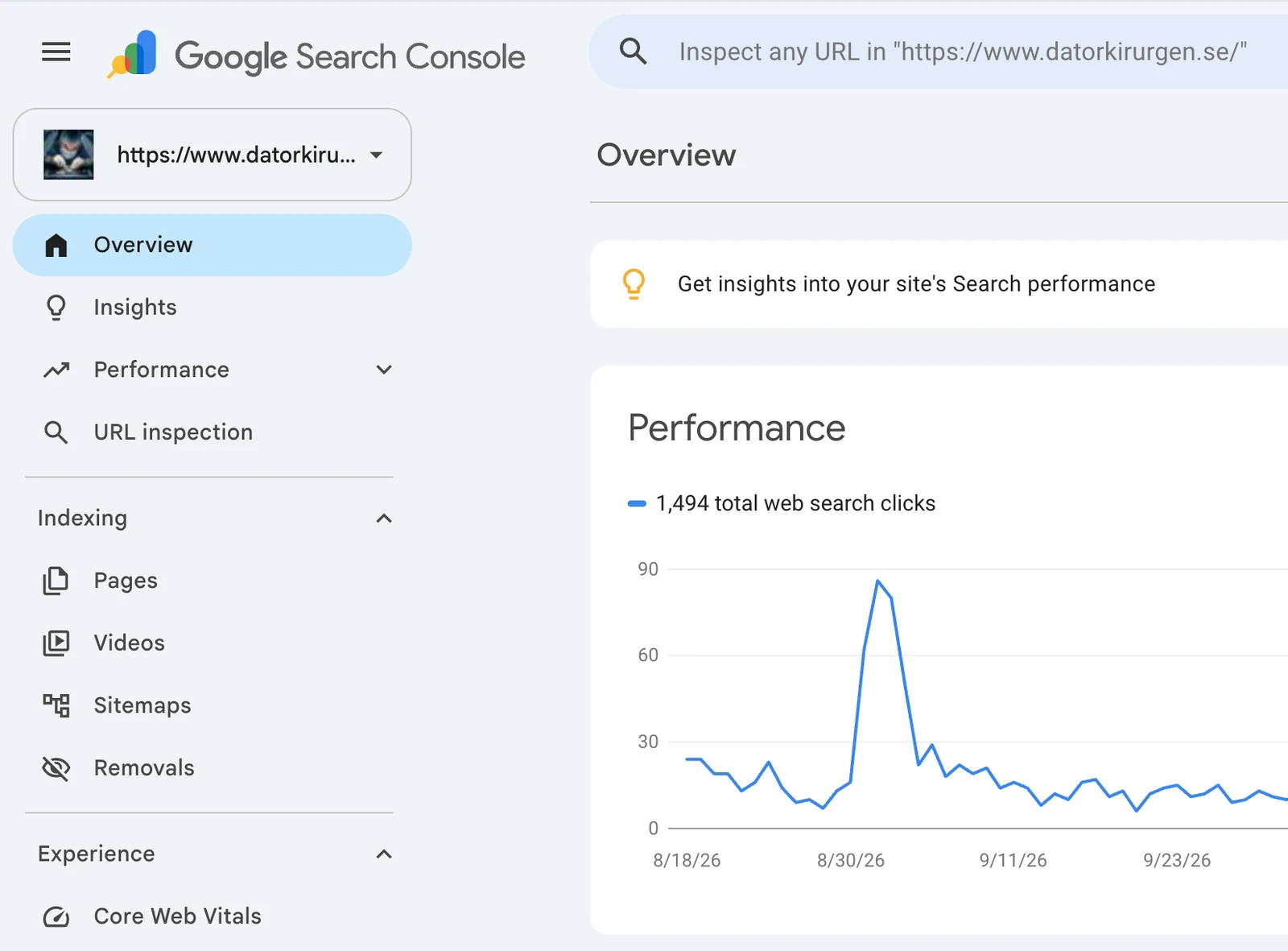
The performance report: clicks, impressions, CTR and position
The performance report shows four key figures. Clicks count visits from Google, while impressions count how often the site appeared in the results. In addition, the click-through rate (CTR) shows the share of impressions that led to a click, and the position shows the average ranking.
We compare periods, devices and countries to find patterns. For instance, low CTR on mobile can mean that titles are too long for small screens. Consequently, a simple change of title and description can raise the traffic without any new content.
Queries with impressions but no clicks
Some of the most valuable findings are queries where the site appears often but rarely receives clicks. Usually, the page ranks on page two, or the title does not match what the searcher wants. In those cases, we improve the content, the headings and the internal links.
Moreover, the query list reveals topics that customers search for but the site does not cover yet. Therefore, the analysis often leads to new articles or service pages that answer exactly those questions.
Indexing and the sitemap
The page indexing report explains why some pages are missing from Google. Common reasons include not found (404), page with redirect, excluded by noindex and crawled but not indexed. Each reason needs its own action, and some, such as intentional redirects, need none at all.
We also check that the sitemap contains only real, indexable pages that return status 200. After a fix, we ask Google to validate it and follow the validation until it completes.
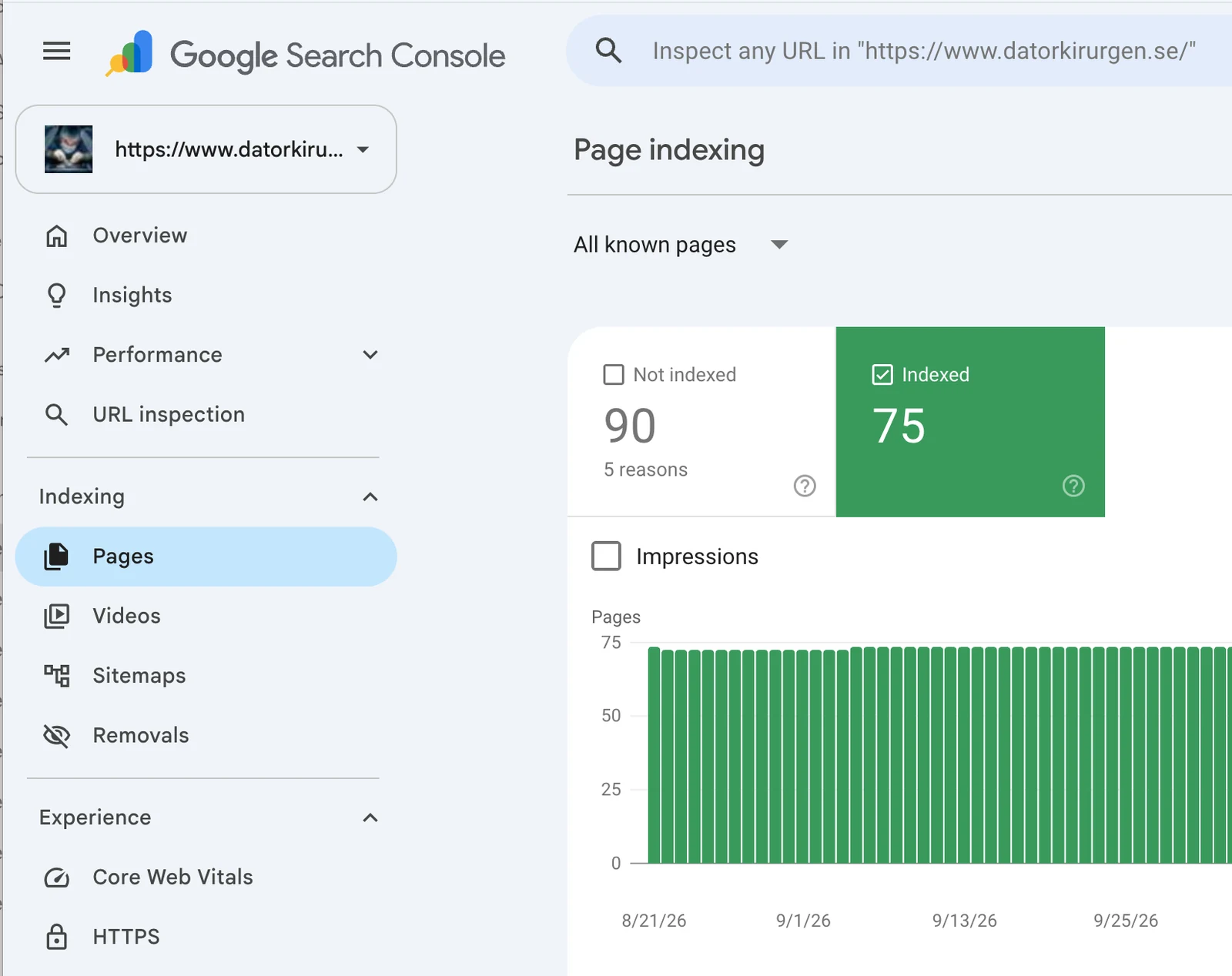
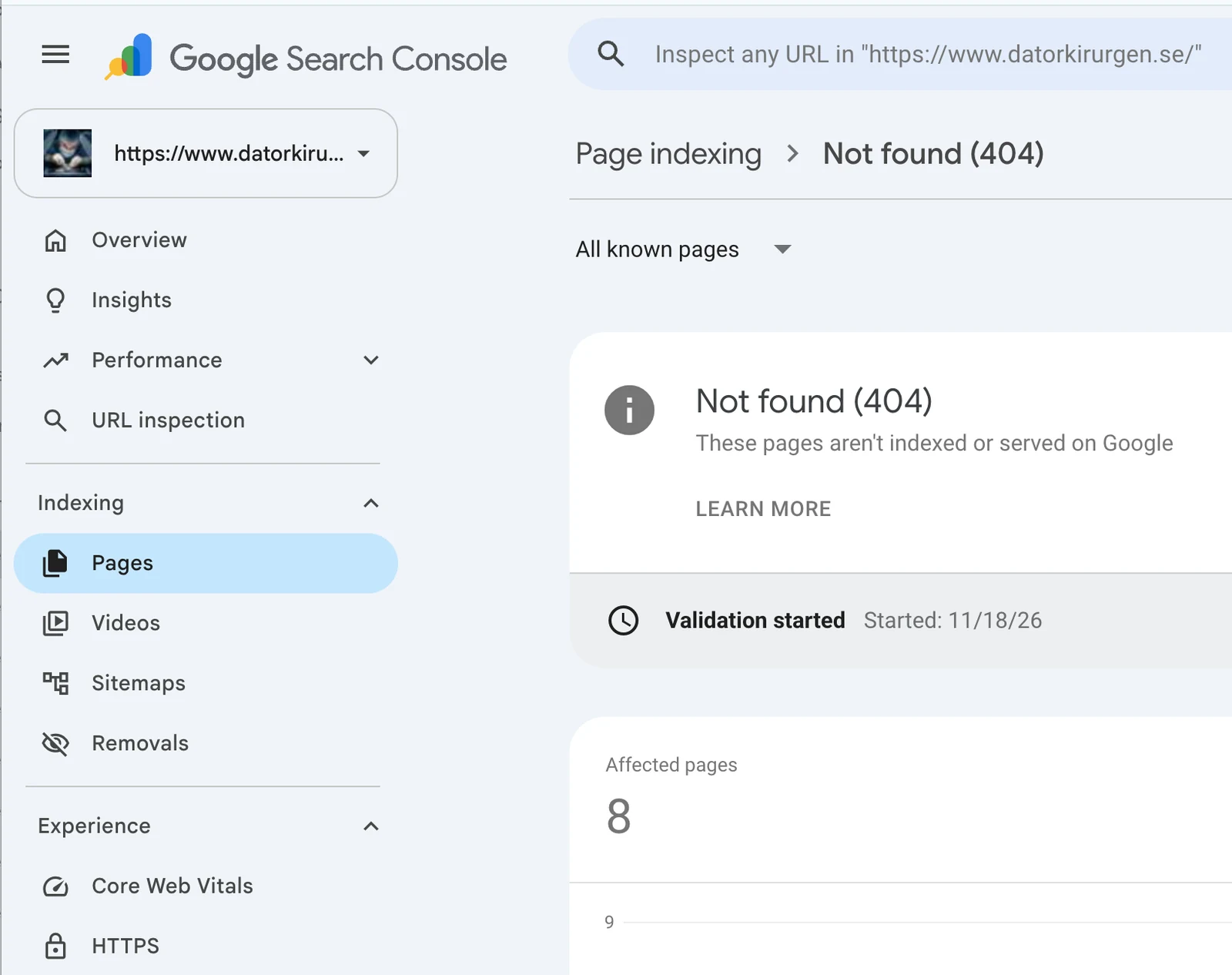
Search Console analysis of indexing: request only what is missing
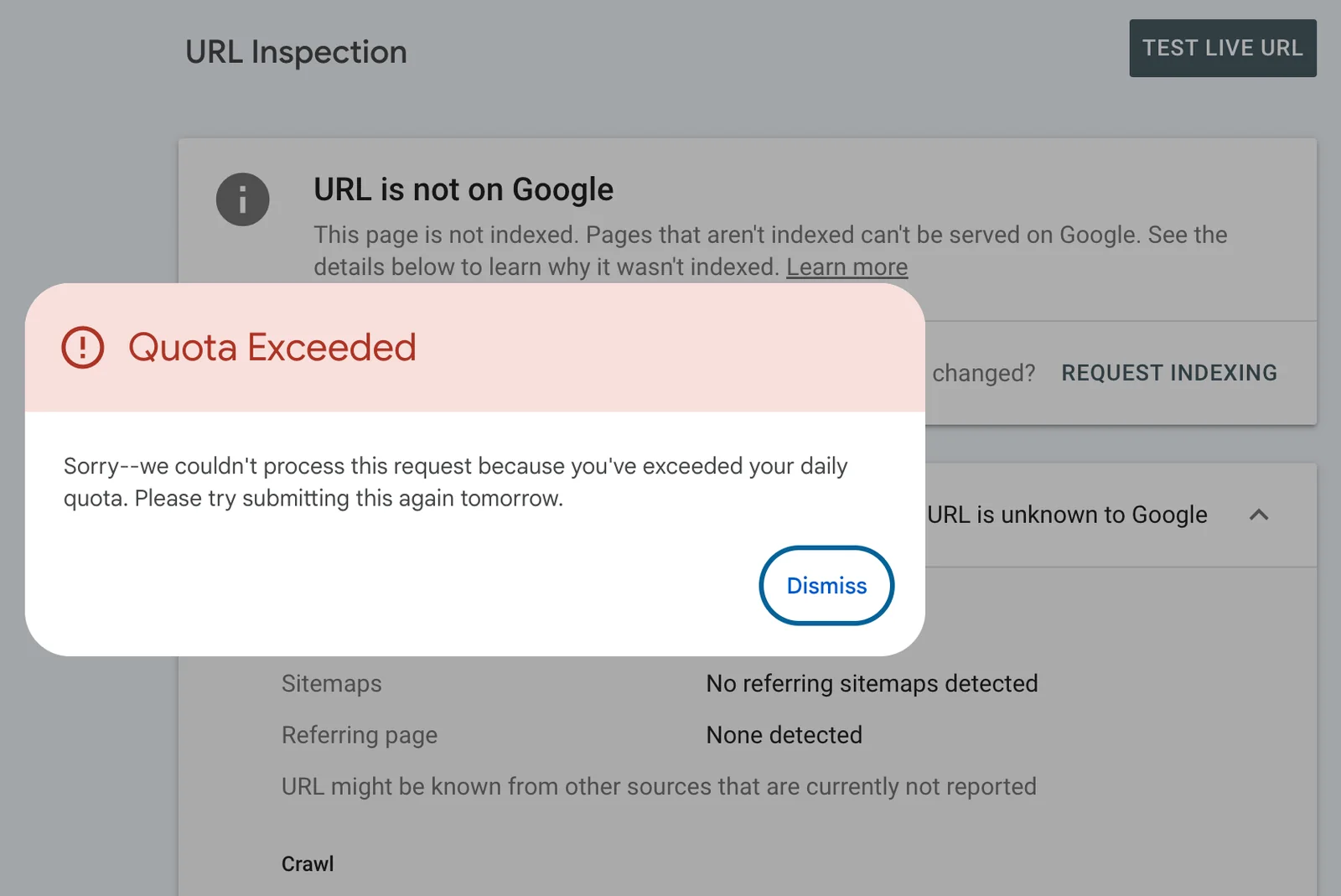
After publishing, it is tempting to click Request indexing for every new address. However, Google only allows a limited number of such requests per day, in our experience about ten. Moreover, the limit applies per Google account and not per website. In other words, if you have several websites in the same account, they share the same quota.
We noticed this ourselves in November 2026. After three requests for Business IT Support, Search Console showed the message Quota Exceeded for another of our websites, even though we had not requested any indexing there that day. Google then refills the quota the next day.
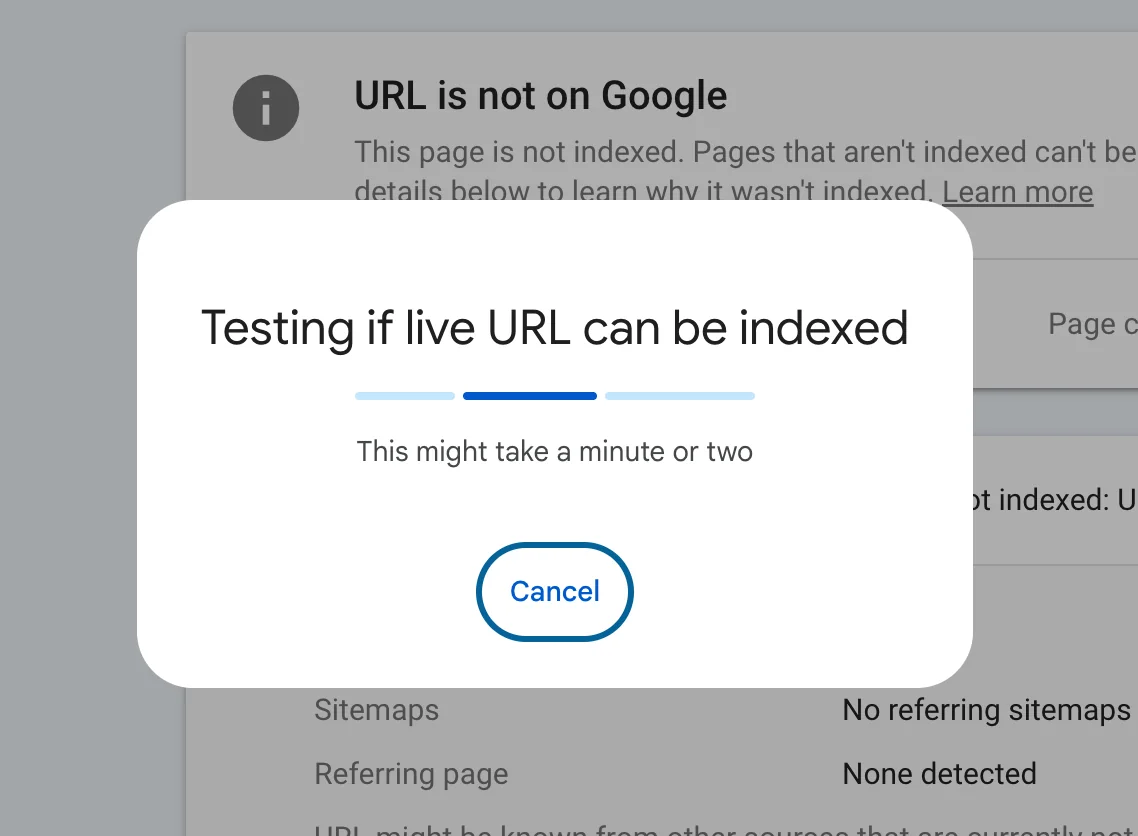
Therefore, we work in a fixed order. First, we paste the address into URL inspection. If the result is green, that is, URL is on Google, the page is already in the index. In that case, we do not request indexing again, since such a request only uses up the quota without any benefit. Only when the result shows URL is not on Google, or when we have changed the page substantially, do we click Request indexing.
In addition, we prioritise the home page, new articles and service pages. Google finds the other pages through the sitemap sitemap_index.xml anyway, even if it takes a few days longer. Remember also the trailing slash in the address, so that you inspect exactly the same address that the sitemap contains.
Core Web Vitals, security and manual actions
Core Web Vitals measure loading speed, interactivity and layout stability for real visitors. Slow pages lose both visitors and rankings, so we identify the templates that cause problems and fix them. In addition, the HTTPS report confirms that every page uses a secure connection.
The security issues and manual actions reports are usually empty. If they are not, the site has a serious problem such as malware or spam, and we act at once.
From analysis to an action list
Finally, we turn the findings into a prioritised list: what to fix first, what it brings and how long it takes. For example, technical errors that block indexing come before content improvements. Then we carry out the work or support your team.
After a few months, we repeat the analysis and compare the results. As a result, you see in figures what each Search Console analysis has achieved.
Contact Datorkirurgen AB about a Search Console analysis
Business IT Support is part of Datorkirurgen AB, which has more than 30 years of experience in IT for businesses. We carry out Search Console analyses and fix the findings for companies in Sweden and abroad, remotely and on site in Stockholm.
In addition, our prices start at €250 per hour excluding VAT, or as agreed, and we guarantee to solve the problem. Google explains the reports in its Search Console help centre. Contact us, and we will start with your performance report.
Frequently asked questions about Search Console analysis
Search Console analysis basics
- What is Google Search Console?
- What does a Search Console analysis include?
- How often should we analyse the reports?
- What is the difference between clicks and impressions?
- What is a good click-through rate?
- What does average position mean?
- How far back does the data go?
- Can we compare two periods?
- Can we filter by country and device?
- Do we need Google Analytics as well?
Indexing and technical health
- Why is a page not indexed?
- What does page with redirect mean?
- What does crawled but not indexed mean?
- What does excluded by noindex mean?
- Should we fix every 404 error?
- How does validation work?
- Does the indexing request limit apply per website or per account?
- Should we request indexing for pages that are already on Google?
- What should the sitemap contain?
- What are Core Web Vitals?
- What is a manual action?
- What does a security issue mean?
Action list and support
- How do you prioritise the actions?
- How long before we see results?
- Can you improve titles and descriptions?
- Can you write new content based on queries?
- Can you fix technical errors as well?
- Do you also analyse Bing Webmaster Tools?
- Can you repeat the analysis regularly?
- Do you need owner access?
- Do you offer ongoing support?
- How do I contact you about a Search Console analysis?