
Azure Storage Explorer and AzCopy are Microsoft’s two main tools for moving files to and from Azure Blob Storage. Business IT Support uses both to move company data safely, and we verify that every file arrives.
Two tools for different needs
To begin with, Azure Storage Explorer is a free desktop application for Windows, macOS and Linux. It shows storage accounts, containers and files in a familiar interface, so it suits occasional uploads and checks. In contrast, AzCopy is a command-line tool built for large volumes, scripts and scheduled transfers.
In fact, Storage Explorer uses AzCopy behind the scenes for its transfers. Therefore, we often start in the graphical tool and then move to AzCopy when the volumes grow or the job needs to repeat automatically.
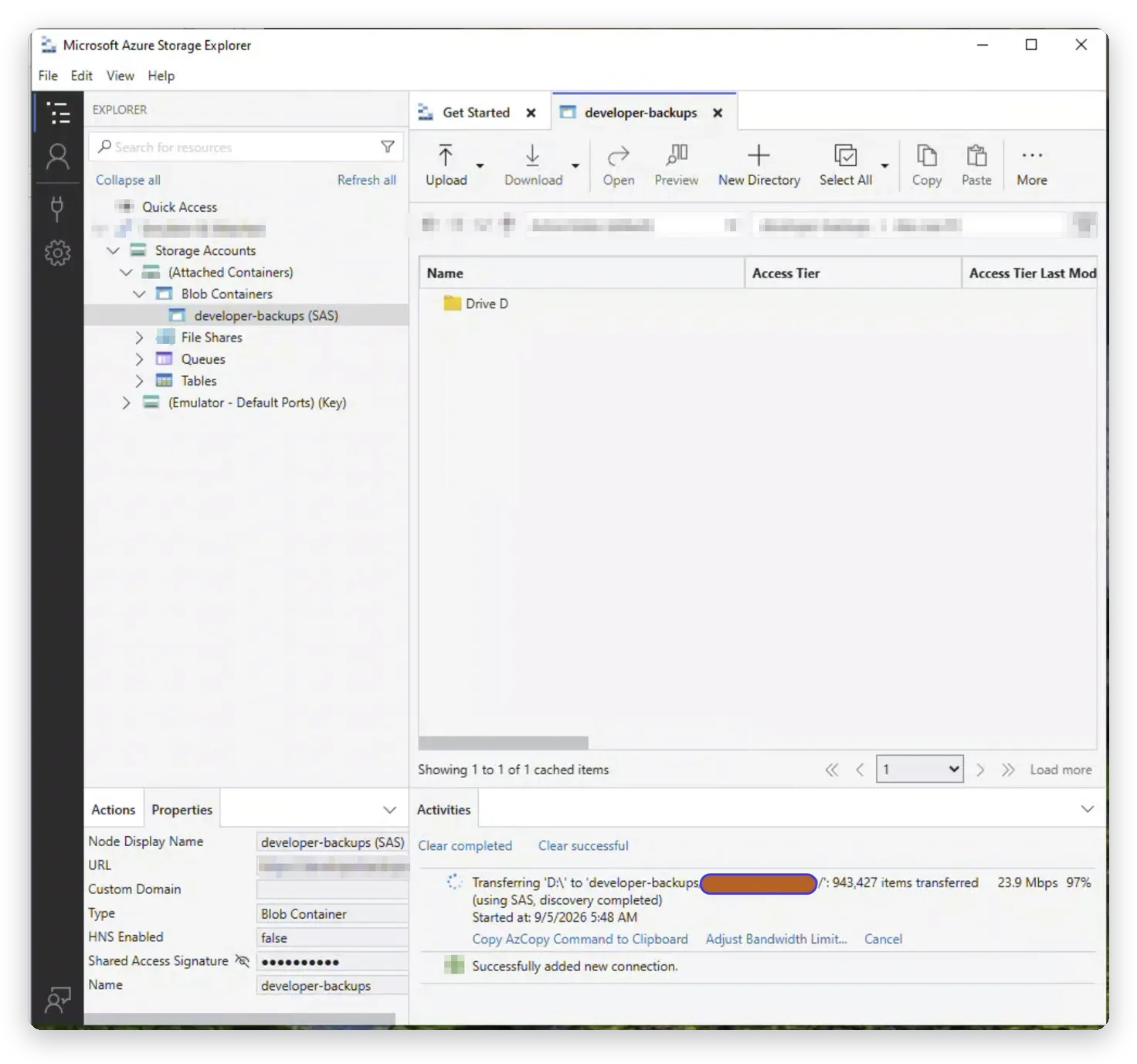
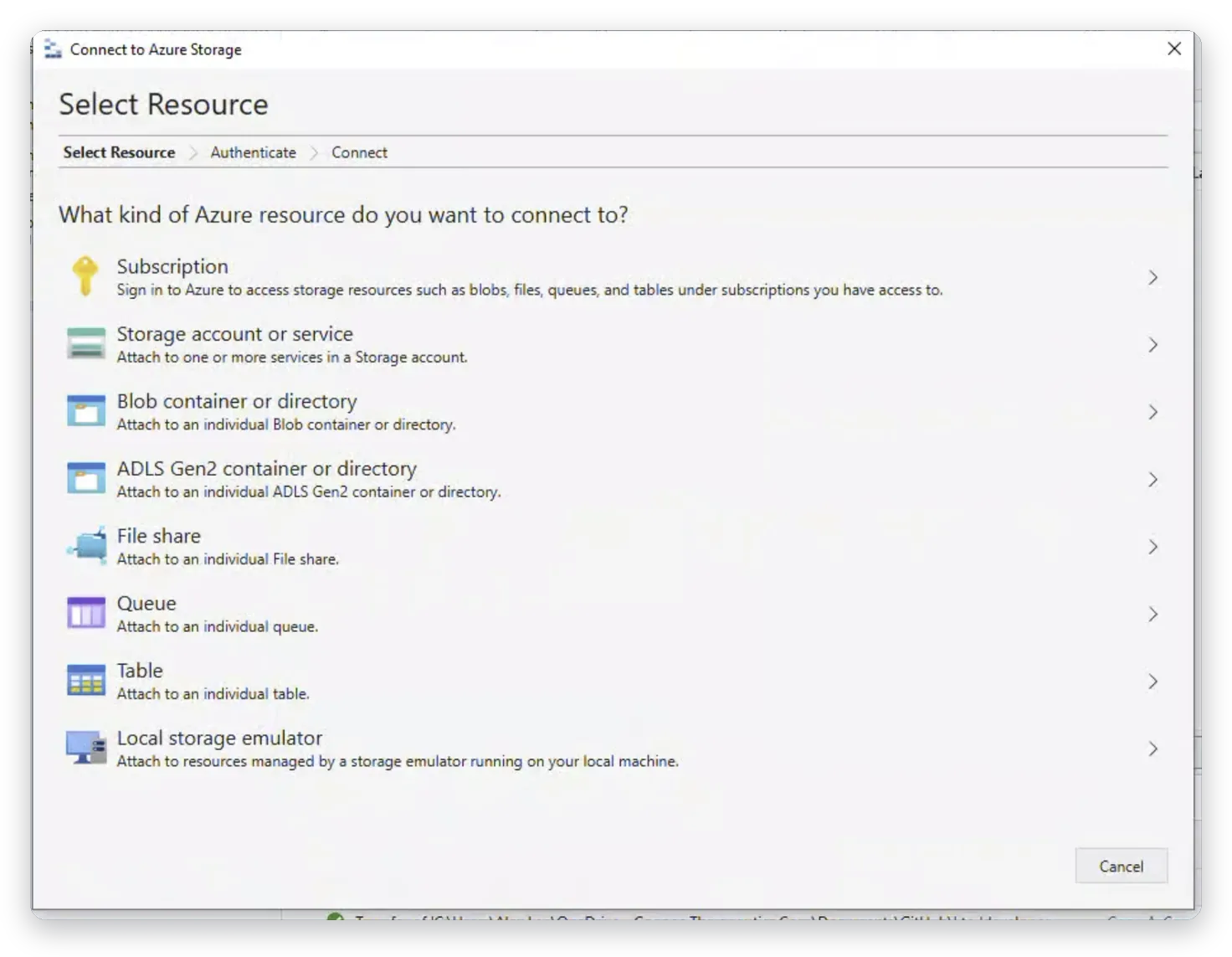
Connecting Azure Storage Explorer and uploading
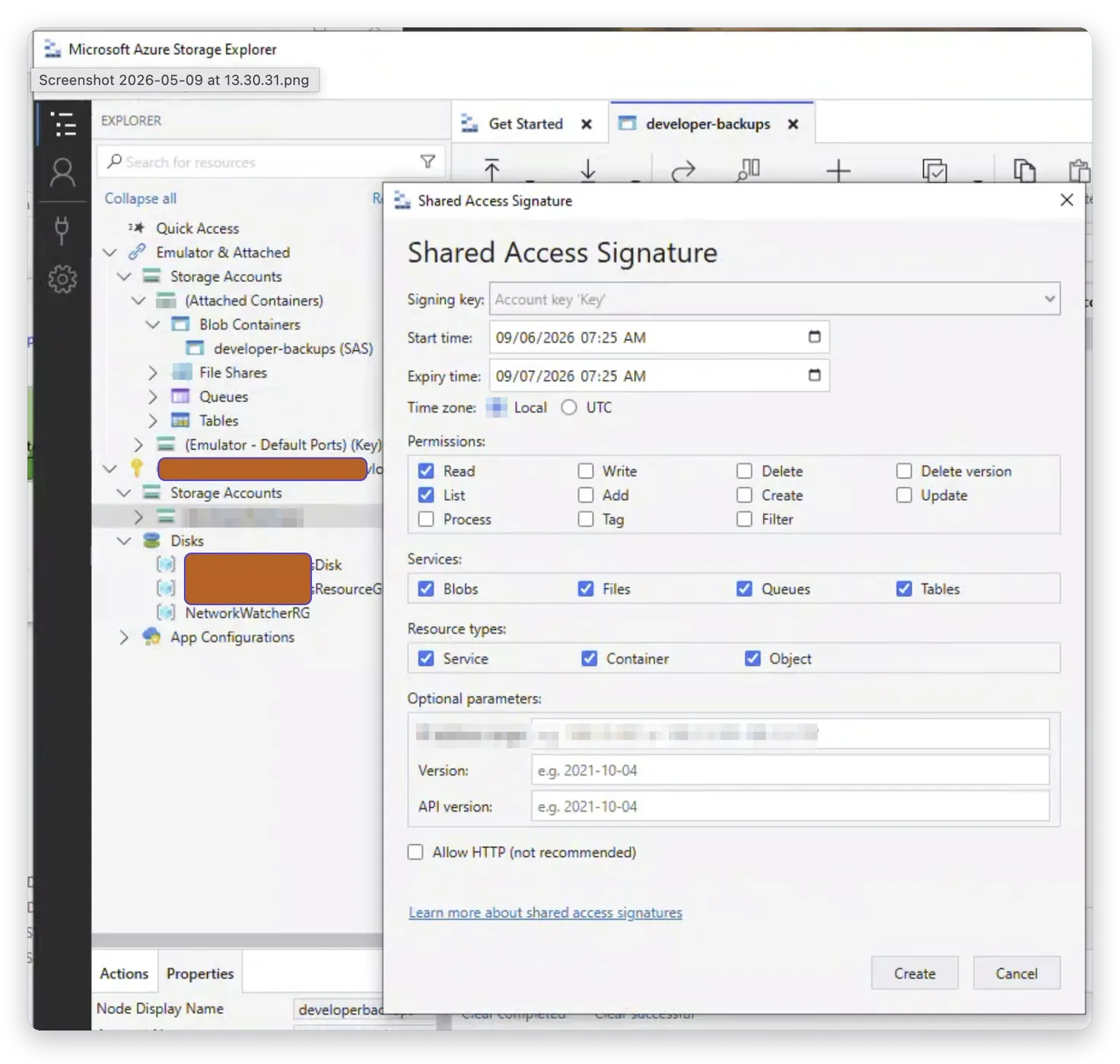
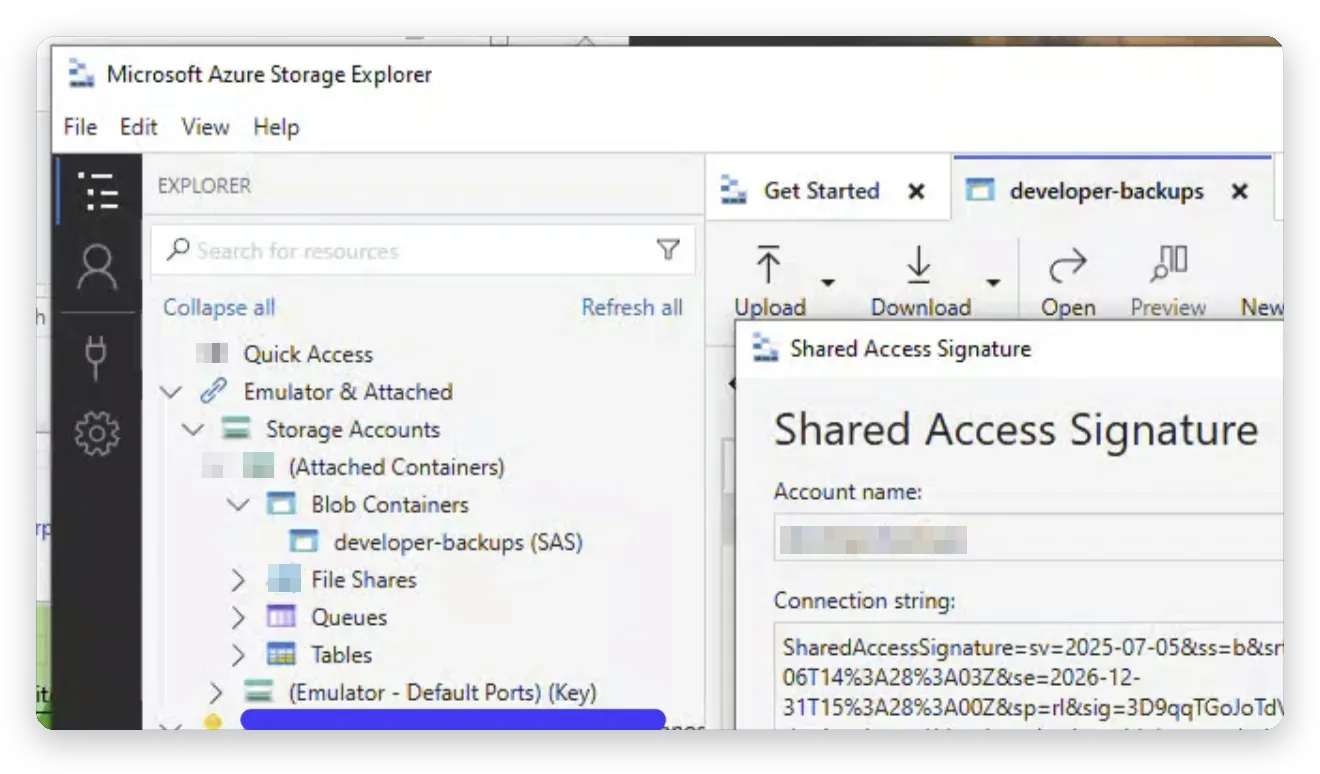
First of all, we sign in with Microsoft Entra ID, which gives access through roles instead of shared keys. Alternatively, we connect with a short-lived SAS token when a user should only reach one container. As a result, nobody needs the account key, which would give full control.
Then we create a clear container structure and upload the data. For large folders, AzCopy runs in parallel and resumes automatically if the connection breaks. In addition, we schedule the transfer outside office hours, so it does not slow down the internet connection for the staff.
How we verify that everything arrived
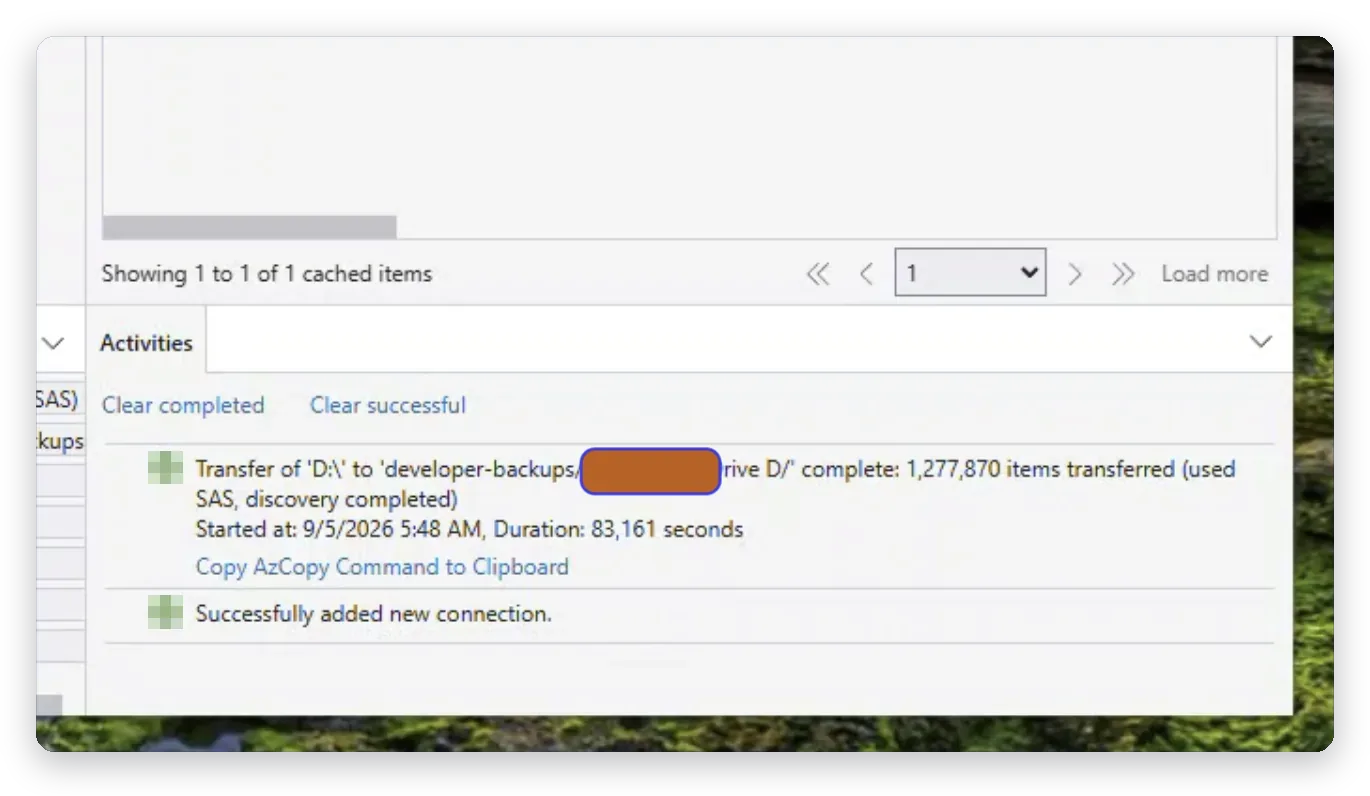
A transfer is only finished when we know that every file arrived intact. Therefore, we compare the number of files and the total size between source and destination. Moreover, AzCopy can check MD5 hashes, which proves that the content is identical.
We also save the transfer log as documentation. Consequently, you can show exactly what moved, when and by whom, which matters for audits and for your own peace of mind.
In addition, we check a sample of files by opening them from Azure, for example documents and images. Because a successful hash check proves identical content, this final test mostly confirms that permissions and paths work as the users expect.
Common problems and how we solve them
In practice, the most frequent problems are permission errors, expired SAS tokens, firewalls that block the storage account and slow uploads over a weak connection. In each case, we then read the error message and the AzCopy log, which usually points straight at the cause.
For example, a 403 error often means that the role is missing or the network rule blocks the client. Furthermore, very long paths and special characters in file names can stop single files. Afterwards, we fix these issues and run the transfer again for the files that failed.
Contact Datorkirurgen AB about Azure Storage Explorer
Business IT Support is part of Datorkirurgen AB, which has more than 30 years of experience in IT for businesses. We move and verify company data with Azure Storage Explorer and AzCopy remotely anywhere, and on site in Stockholm and across Sweden.
In addition, our prices start at €250 per hour excluding VAT, or as agreed, and we guarantee to solve the problem. Microsoft describes the tool on its Storage Explorer page. Contact us, and we will plan your transfer.
Frequently asked questions about Azure Storage Explorer
Basic questions
- What is Azure Storage Explorer?
- What is AzCopy?
- When should we use AzCopy instead?
- Is Azure Storage Explorer free?
- Which operating systems does it support?
- How do we sign in?
- What is a SAS token?
- Why should we avoid the account key?
- Can several people use the same storage account?
- Can we browse files without downloading them?
Transfers and verification
- How fast is a transfer?
- Can a transfer resume after a break?
- How do we verify that every file arrived?
- What is an MD5 check?
- Can we schedule transfers?
- Can we sync a folder to Azure?
- Do file names with special characters work?
- What happens with very long paths?
- Can we move data between storage accounts?
- Where do we find the transfer log?
Problems and support
- Why do we get a 403 error?
- Why did the SAS token stop working?
- Can a firewall block Storage Explorer?
- Why is the upload slow?
- Can you move our data for us?
- Can you set up automatic backups to Azure?
- Can you protect the data against ransomware?
- Do you work outside office hours?
- Do you offer ongoing support?
- How do I contact you about Azure Storage Explorer?