
A Site-to-Site VPN to Azure connects the whole office network to your virtual network in Azure through an encrypted tunnel. Business IT Support designs the connection, configures the gateway and the firewall, and supports the tunnel over time.
What a Site-to-Site VPN to Azure is
A Site-to-Site VPN Azure connection joins two networks: the office and Azure. Every computer in the office can then reach servers in Azure as if they stood in the same building, without any VPN client on the computer. The firewall in the office and the VPN gateway in Azure handle the encryption.
This suits companies that move servers to Azure but keep staff, printers and other equipment in the office. Moreover, it works as the base for hybrid solutions with Active Directory, file servers and backup.
Virtual network gateway and local network gateway
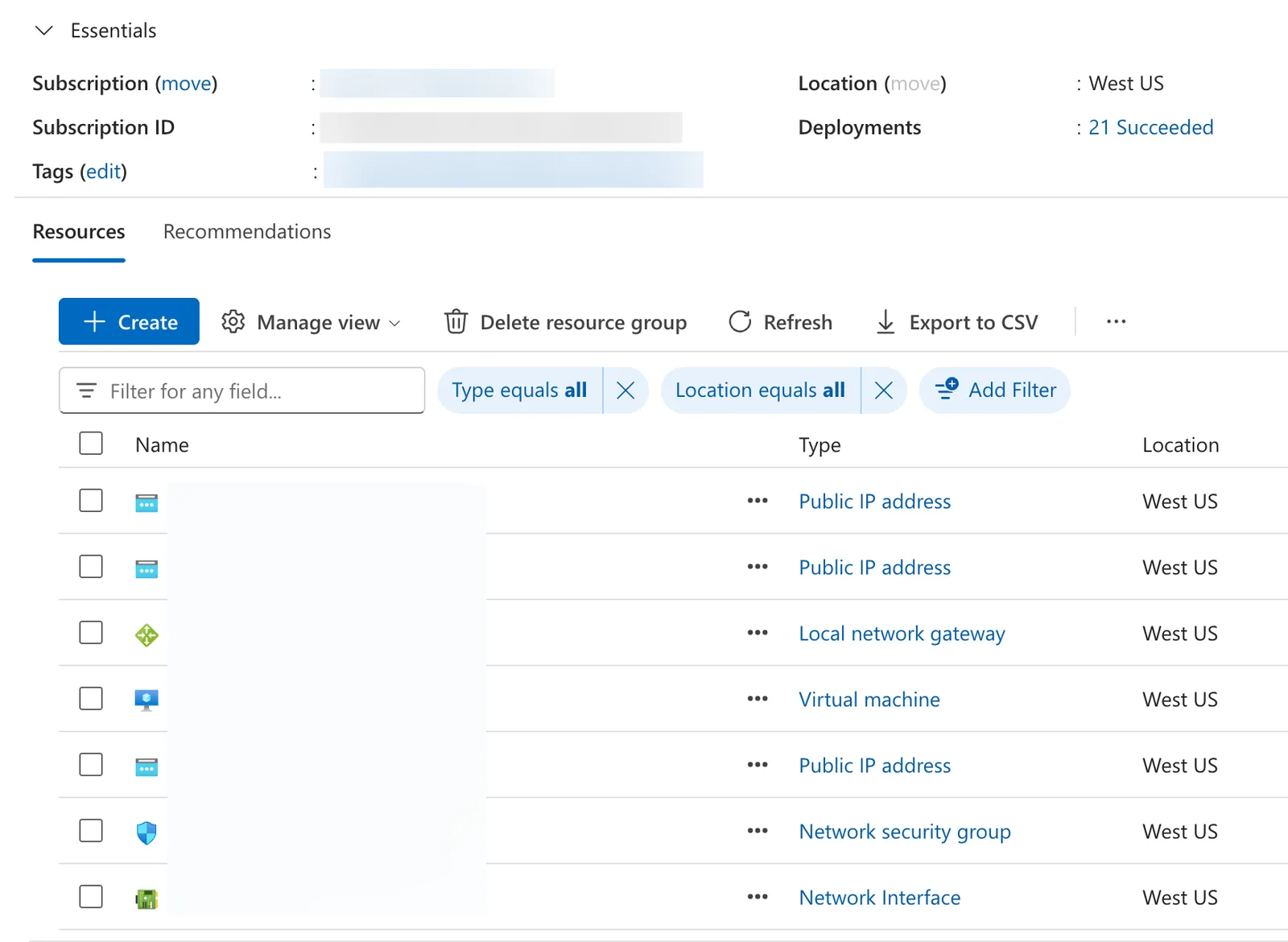
In Azure, we create a virtual network with a gateway subnet and a virtual network gateway. Then we create a local network gateway, which describes the office: its public IP address and its internal address ranges. Finally, a connection object with a shared key links the two.
The address plan matters a great deal. Office and Azure must never use overlapping ranges, otherwise traffic goes the wrong way. Therefore, we review the address plan before we build anything.
The office firewall in a Site-to-Site VPN Azure setup
On the office side, the firewall needs the same parameters as Azure: IKE version, encryption, hashing, Diffie-Hellman group and lifetimes. We configure SonicWall, Fortinet, pfSense and other common firewalls according to Microsoft’s list of validated settings.
In addition, we create firewall rules that allow only the traffic the business needs. For example, users may reach the file server and the application server, but not the administration ports. As a result, the tunnel does not become a wide-open door.
Security and network design
Network security groups in Azure limit traffic per subnet, and the office firewall limits traffic on its side. We also consider Azure Firewall when the environment grows. Furthermore, BGP can exchange routes automatically when you have several offices.
For high availability, we configure an active-active gateway or a second tunnel over another internet connection. Consequently, one broken link does not stop the business.
Troubleshooting a Site-to-Site VPN
When a tunnel does not come up, the cause is usually mismatched parameters, a wrong shared key or an incorrect address range. We compare both sides line by line and read the logs in the firewall and in Azure. Then we correct the mismatch and confirm that traffic flows.
If the tunnel is up but traffic does not pass, we check routes, firewall rules and network security groups. In addition, DNS often needs attention, so servers in Azure can resolve names in the office and the other way round.
Support, operations and getting started
We monitor the tunnel and raise an alert if it goes down. Moreover, we update the firewall firmware and review the configuration regularly. You always get documentation of the parameters, so another technician can understand the setup.
Getting started is simple. First, we review your firewall, your internet connection and your Azure subscription. Then we propose a design and a time plan, and we build the tunnel outside office hours if needed.
Contact Datorkirurgen AB about Site-to-Site VPN Azure
Business IT Support is part of Datorkirurgen AB, which has more than 30 years of experience in IT for businesses. We configure and support Site-to-Site VPN to Azure for companies remotely anywhere, and on site in Stockholm and across Sweden.
Our prices start at €250 per hour excluding VAT, or as agreed, and we guarantee to solve the problem. Microsoft describes the setup in its Site-to-Site tutorial. Contact us, and we will review your firewall and your network.
Frequently asked questions about Site-to-Site VPN Azure
Site-to-Site VPN Azure basics
- What is a Site-to-Site VPN?
- How does it differ from Point-to-Site VPN?
- Which firewalls work with Azure?
- What is a local network gateway?
- Which gateway SKU should we choose?
- What does the VPN gateway cost?
- Do we need a static public IP address?
- How fast is the tunnel?
- Can several offices connect?
- How long does a setup take?
Configuration and security
- Which IKE version should we use?
- Which encryption settings are recommended?
- What is a shared key?
- What is BGP and do we need it?
- How do we avoid overlapping address ranges?
- How do we limit traffic through the tunnel?
- What is an active-active gateway?
- Can we use two internet connections?
- Should we use Azure Firewall?
- How does DNS work over the tunnel?
Troubleshooting and support
- Why does the tunnel not come up?
- Why does the tunnel drop now and then?
- Why can we not reach a server in Azure?
- How do you read the VPN logs?
- Can you monitor the tunnel?
- Can you configure our SonicWall?
- Can you replace our old firewall?
- Do you work outside office hours?
- Do you offer ongoing support?
- How do I contact you about Site-to-Site VPN Azure?