
To uninstall Elementor safely, you need more than one click on Deactivate. Business IT Support moves the website to a custom theme, checks every page automatically and cleans the database, so the site becomes faster without losing content or rankings.
When it is time to uninstall Elementor
Many companies built their website with Elementor years ago. Over time, the site has grown heavy, the plugin needs frequent updates and the licence costs money every year. In addition, templates for headers and footers sometimes disappear or show the wrong version.
If the website mainly presents services, articles and contact details, a custom theme often does the job better. Therefore, many businesses choose to uninstall Elementor when they redesign or move the site.
Why deactivating the plugin is not enough
If you only deactivate Elementor, pages built with it lose their layout and show raw shortcodes or empty areas. Headers and footers from Elementor Pro also disappear. Consequently, the site can look broken from one second to the next.
Moreover, Elementor leaves templates, metadata, options and CSS files in the database and on the server. A proper migration therefore moves the content first, replaces the templates with a theme and finally cleans out what remains.
Inventory and backup before you uninstall Elementor
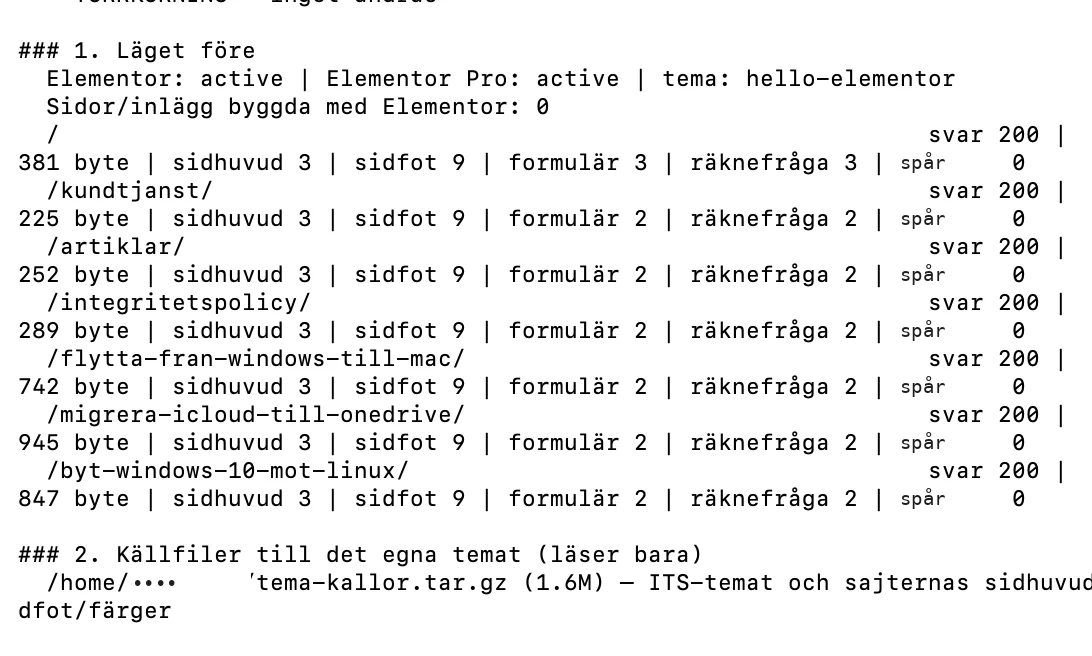
First of all, we take a complete backup of the database and the files. Then a script lists every page, article and template that uses Elementor, together with the header and footer that each page shows. We also record the response code and the size of every page.
This inventory gives a clear picture of the work. Furthermore, it serves as the reference for the final check, when we compare every page before and after the migration.
Custom theme, preview and activation
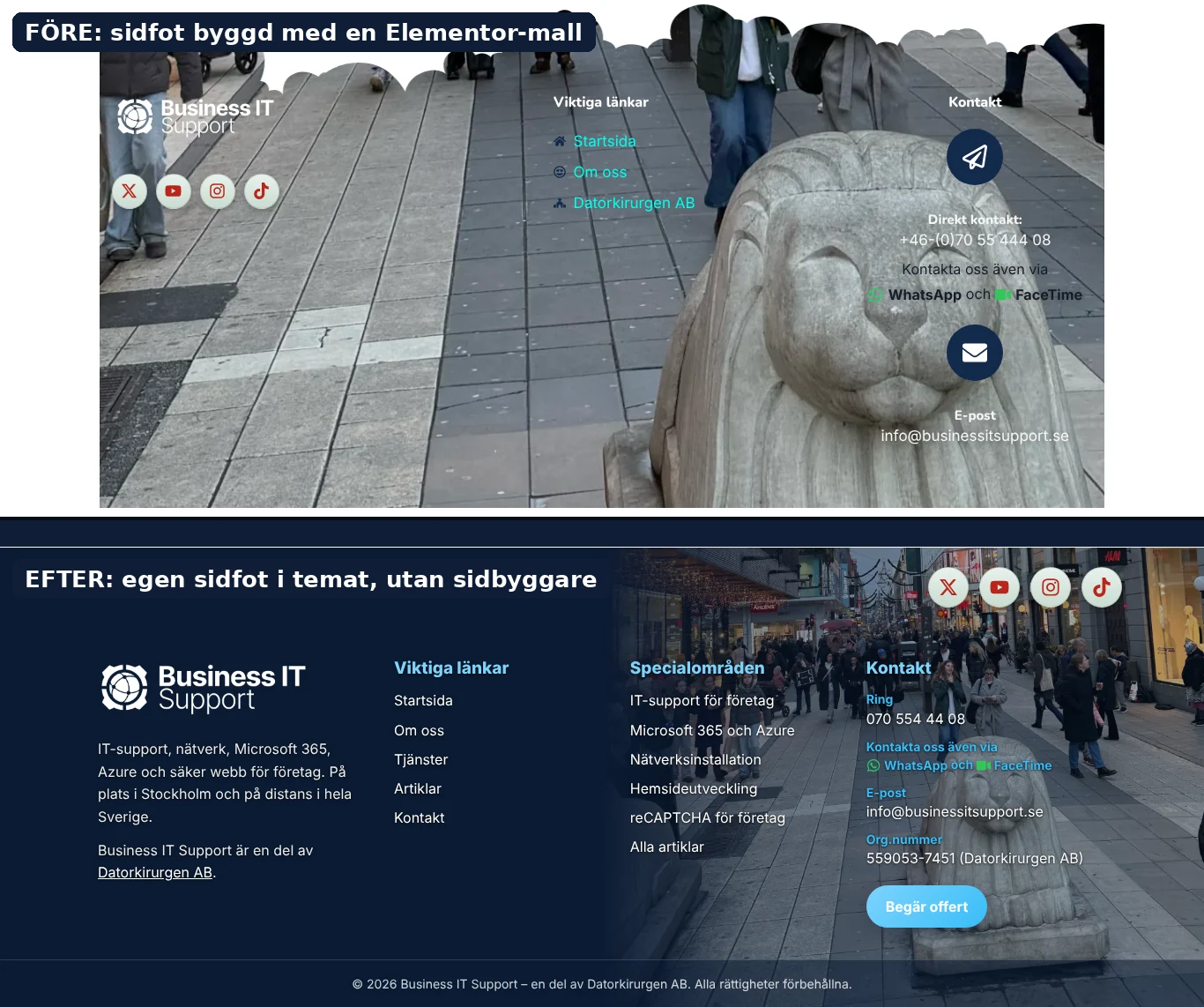
Header and footer in a custom child theme
We build a child theme with the same header, menu and footer as before, but in clean code. The content remains the same, while the code becomes much lighter. In addition, the theme uses the site’s own colours and fonts.
Preview and automatic rollback
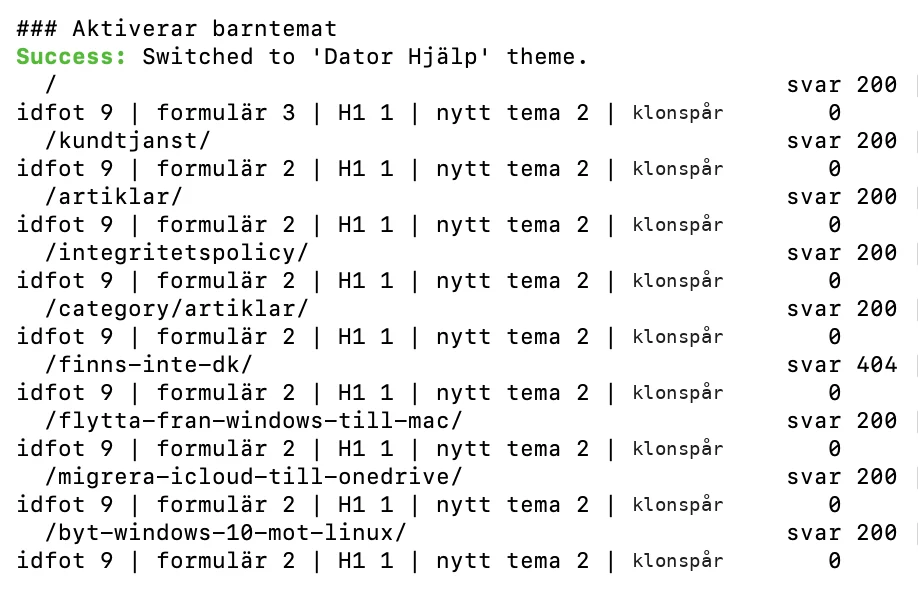
Before activation, we preview the new theme on the live site without showing it to visitors. When we activate it, a script checks every address. If any page returns an error, the script switches back to the previous theme automatically. As a result, visitors never see a broken site.
Cleaning the database and the final check
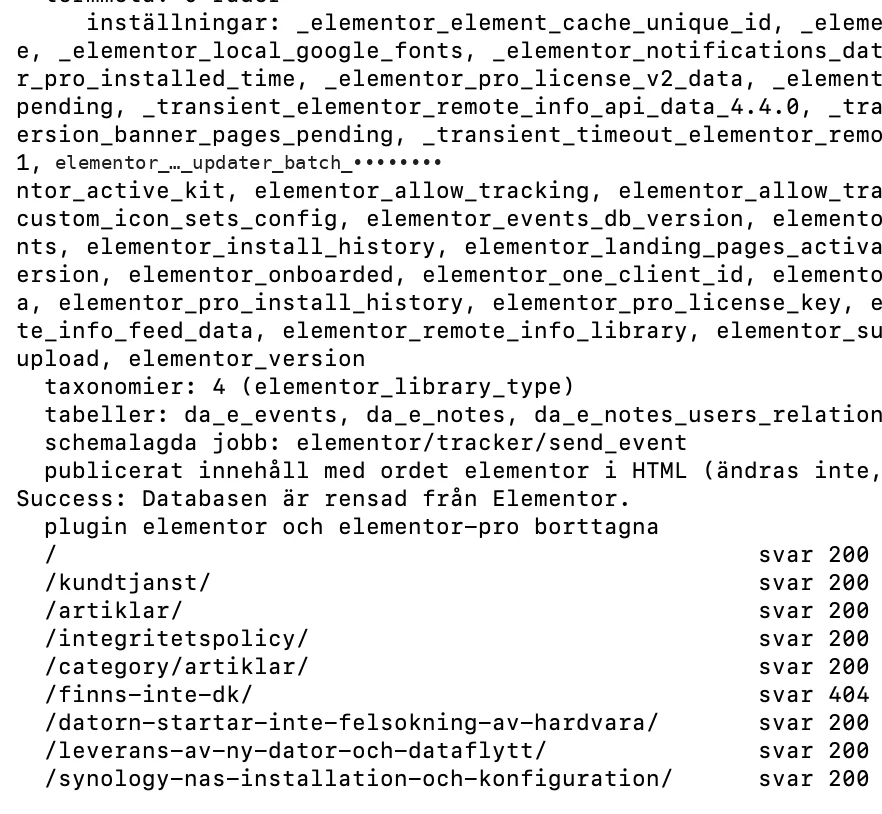
Once the new theme runs without errors, we uninstall Elementor and Elementor Pro. Then we remove templates, metadata, options and generated CSS files from the database and the server. Consequently, no traces of the page builder remain.
Finally, we compare every page with the inventory, flush the caches and check the speed. We also verify that addresses, titles and meta descriptions stay the same, so search rankings are not affected.
Contact Datorkirurgen AB to uninstall Elementor
Business IT Support is part of Datorkirurgen AB, which has more than 30 years of experience in IT for businesses. We uninstall Elementor, Beaver Builder and other page builders safely for companies remotely anywhere, and we can also host the new site on our own servers.
Our prices start at €250 per hour excluding VAT, or as agreed, and we guarantee to solve the problem. WordPress describes child themes in its theme handbook. Contact us, and we will start with an inventory of your website.
Frequently asked questions about how to uninstall Elementor
Questions about how to uninstall Elementor
- Can we simply deactivate Elementor?
- What happens to pages built with Elementor?
- Will we lose any content?
- Will our addresses change?
- Do we lose our Google rankings?
- How long does the migration take?
- What does Elementor leave in the database?
- Can we keep our current design?
- Do we still need Elementor Pro?
- What happens to our forms?
Beaver Builder, Divi and other page builders
- Can you remove Beaver Builder as well?
- Can you migrate a Divi site?
- Do you support WPBakery?
- Can we move to the block editor instead?
- Which page builder is the fastest?
- Is a page builder ever the right choice?
- Can you keep Elementor and only fix problems?
- Can you speed up an Elementor site?
- Can you repair broken Elementor templates?
- Do you support Elementor Pro licences?
Projects, cooperation and support
- How does the project start?
- What does a migration cost?
- Do you take a backup first?
- What is automatic rollback?
- Can we preview the new theme?
- Can you host the website after the move?
- Do you offer a service agreement?
- Who owns the new theme?
- Can you migrate several websites?
- How do I contact you to uninstall Elementor?