
Azure virtual servers replace physical hardware with flexible machines in the cloud. Business IT Support plans, configures and supports servers and Windows 11 clients in Azure, with focus on security, backup and a predictable cost.
Why move servers and clients to Azure?
Physical servers age, break and need a server room with power and cooling. In Azure, you instead rent capacity and change it when the needs change. Moreover, you avoid large hardware investments every five years. Many companies therefore move file servers, application servers and line-of-business systems to Azure virtual servers.
The move also gives better options for backup, disaster recovery and remote work. For example, a virtual machine can restore from a backup in another region within hours. In addition, staff reach the systems from anywhere through VPN or virtual desktops.
Planning, sizing and cost of Azure virtual servers
Good planning saves money. First, we measure how much CPU, memory and storage your current servers really use. Then we choose a virtual machine size and disk type that match the load, instead of copying old over-sized hardware. We also check licences, because Windows Server and SQL Server licences often allow Azure Hybrid Benefit.
Furthermore, we compare pay-as-you-go prices with reservations and savings plans. Servers that run all the time usually cost much less on a one- or three-year commitment. As a result, you get a clear monthly forecast before we move anything.
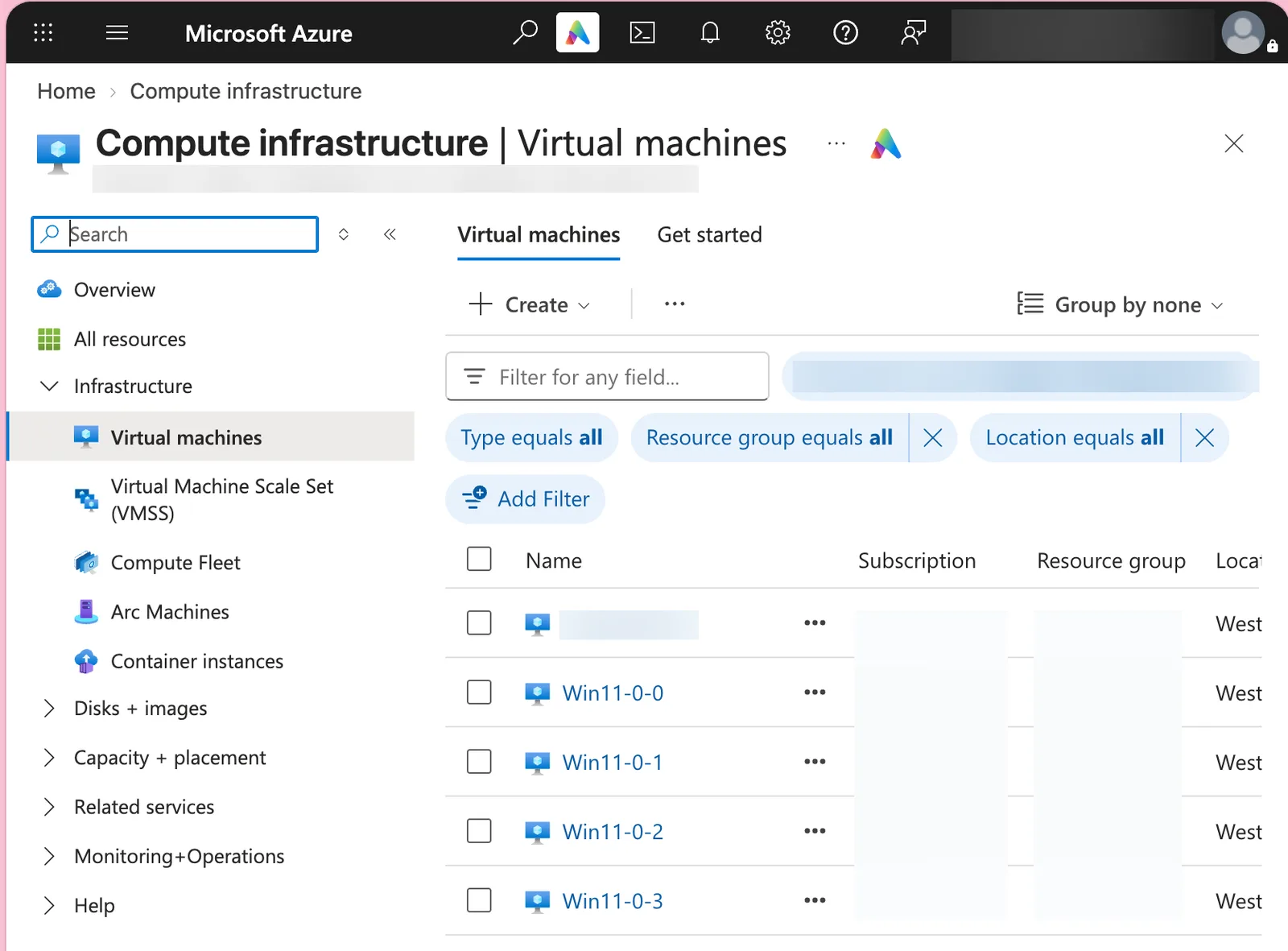
Configuration of virtual machines
Each virtual machine gets a clear name, a resource group, tags and a network design. We place servers in subnets with network security groups, so only the necessary ports are open. In addition, we avoid public IP addresses and use Azure Bastion or VPN for administration instead.
We also configure disks, time zones, updates and monitoring from the start. For critical servers, we use availability zones or replication to another region. Consequently, a single hardware fault in a data centre does not stop your business.
Clients, Windows 11 and the user environment
Azure also hosts Windows 11 clients for developers, consultants and staff who need a powerful machine for a limited time. We create them from a standard image, so every client starts with the right software and settings. Afterwards, Intune keeps them updated and compliant.
For larger groups, Azure Virtual Desktop is often a better choice than one virtual machine per person. Therefore, we compare both options during planning. Either way, the users get a familiar Windows 11 desktop, and the data stays in Azure.
Backup, security and updates
Azure Backup protects the virtual machines with daily backups and long retention. We also enable soft delete, so a deleted backup can come back for a period of time. Furthermore, Microsoft Defender for Cloud shows security recommendations, and we act on the important ones.
Update management installs security patches on a schedule that suits the business. In addition, we join the servers to Entra ID or Active Directory, depending on your environment. As a result, accounts, policies and logins follow the same rules as the rest of your IT.
Support, troubleshooting and daily operations
When a server stops responding, we check boot diagnostics, the network rules, the disk and the event logs. Then we fix the fault and explain what happened. We also set up alerts for CPU, memory, disk space and failed backups, so we often react before users notice anything.
We offer migration projects as well as ongoing operations. For instance, we can move your on-premises servers with Azure Migrate and then take responsibility for the daily operations. Either way, you get one contact who knows both the servers and the business.
Contact Datorkirurgen AB about Azure virtual servers
Business IT Support is part of Datorkirurgen AB, which has more than 30 years of experience in IT for businesses. We plan, configure and support Azure virtual servers and clients for companies remotely anywhere, and on site in Stockholm and across Sweden.
Our prices start at €250 per hour excluding VAT, or as agreed, and we guarantee to solve the problem. Microsoft describes the service in the Azure Virtual Machines documentation. Contact us, and we will suggest the right size and setup for your servers.
Frequently asked questions about Azure virtual servers
Azure virtual servers basics
- What is an Azure virtual machine?
- Which servers can we move to Azure?
- How do we choose the right size?
- What is a resource group?
- Which disk type should we use?
- Can we run Linux servers as well?
- What is Azure Hybrid Benefit?
- Do we need a public IP address?
- What is Azure Bastion?
- How long does a server migration take?
Security, backup and operations
- How does Azure Backup work?
- How long do you keep backups?
- How do you protect servers against ransomware?
- What is Defender for Cloud?
- How do updates work in Azure?
- Can the servers join our domain?
- What happens if a data centre fails?
- How do you monitor the servers?
- Which ports should be open?
- Can we restore a single file?
Clients, support and cost
- Can we run Windows 11 clients in Azure?
- When is Azure Virtual Desktop a better choice?
- How do we lower the monthly cost?
- What is a reservation?
- Can servers shut down at night?
- Why does a server not respond?
- Can you take over our Azure environment?
- Do you offer ongoing administration?
- Can you help with Azure Migrate?
- How do I contact you about Azure virtual servers?