
0:00
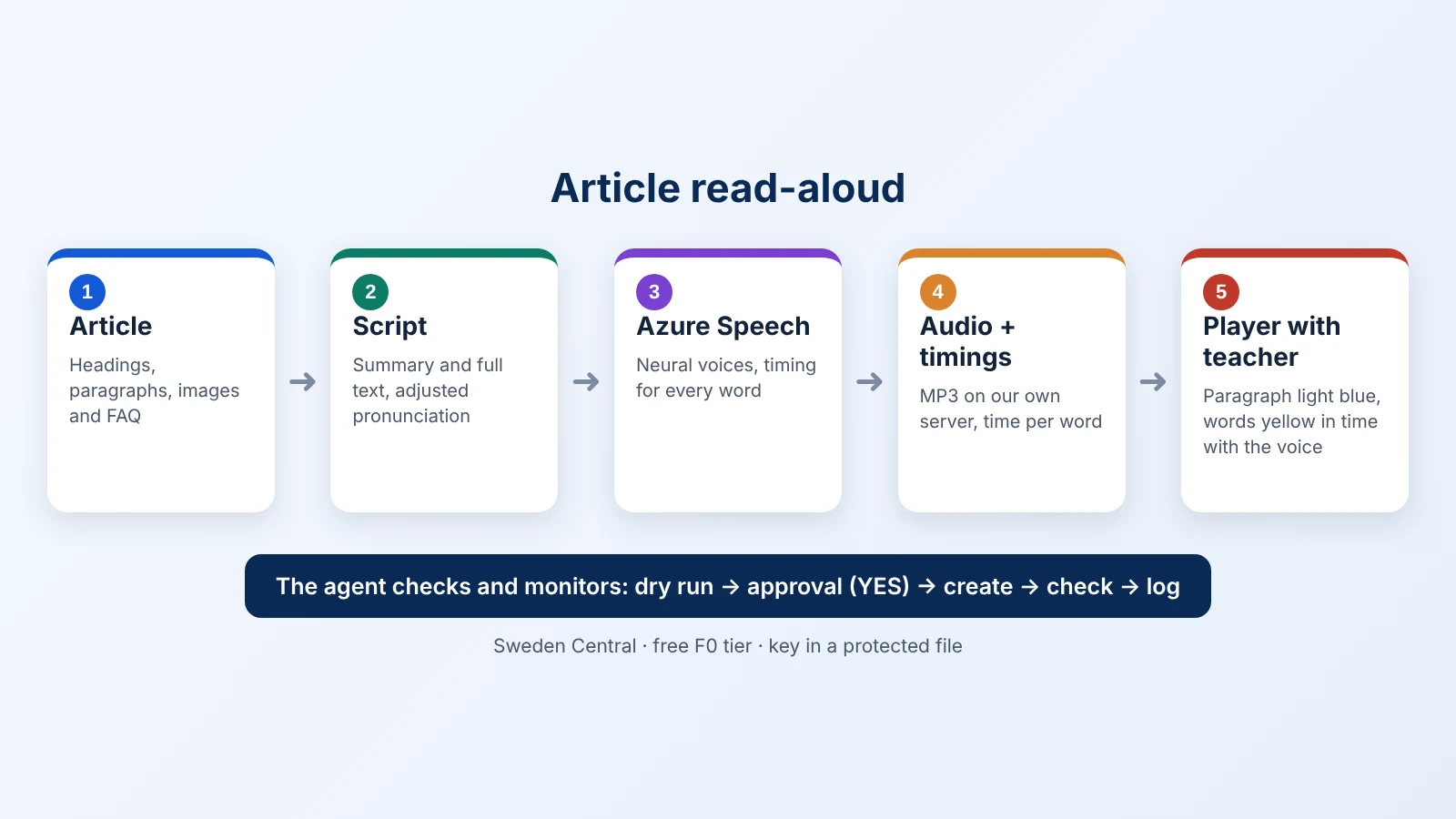
Article read-aloud lets visitors take in a text without looking at the screen: on a walk, on the underground or in the car. Business IT Support, part of Datorkirurgen AB, has built a reader with Azure Speech from Microsoft that reads a summary or the whole article, in Swedish or English, and highlights the text as it reads. Feel free to try it yourself with the button at the top of this page.
Why article read-aloud?
Many visitors find an article on their phone but do not have time to read it right then. With read-aloud, they can listen instead, for example on the way to a meeting. In addition, people with visual impairments, dyslexia or another first language get an alternative to reading a long text on the screen.
In the car, the read-aloud works like a short podcast on the topic. Start it before you drive and listen via CarPlay, Android Auto or Bluetooth, because Swedish traffic rules forbid drivers from holding a phone in their hand while driving. We are happy to help connect your phone to the car system, so that it works from the very first trip.
At the same time, read-aloud does not replace the requirements of the Swedish accessibility act, which has applied to e-commerce and other services since 28 June 2025. However, it makes the content accessible to more people, and visitors stay longer on the page when they can choose between reading and listening.
How the read-aloud works on our websites
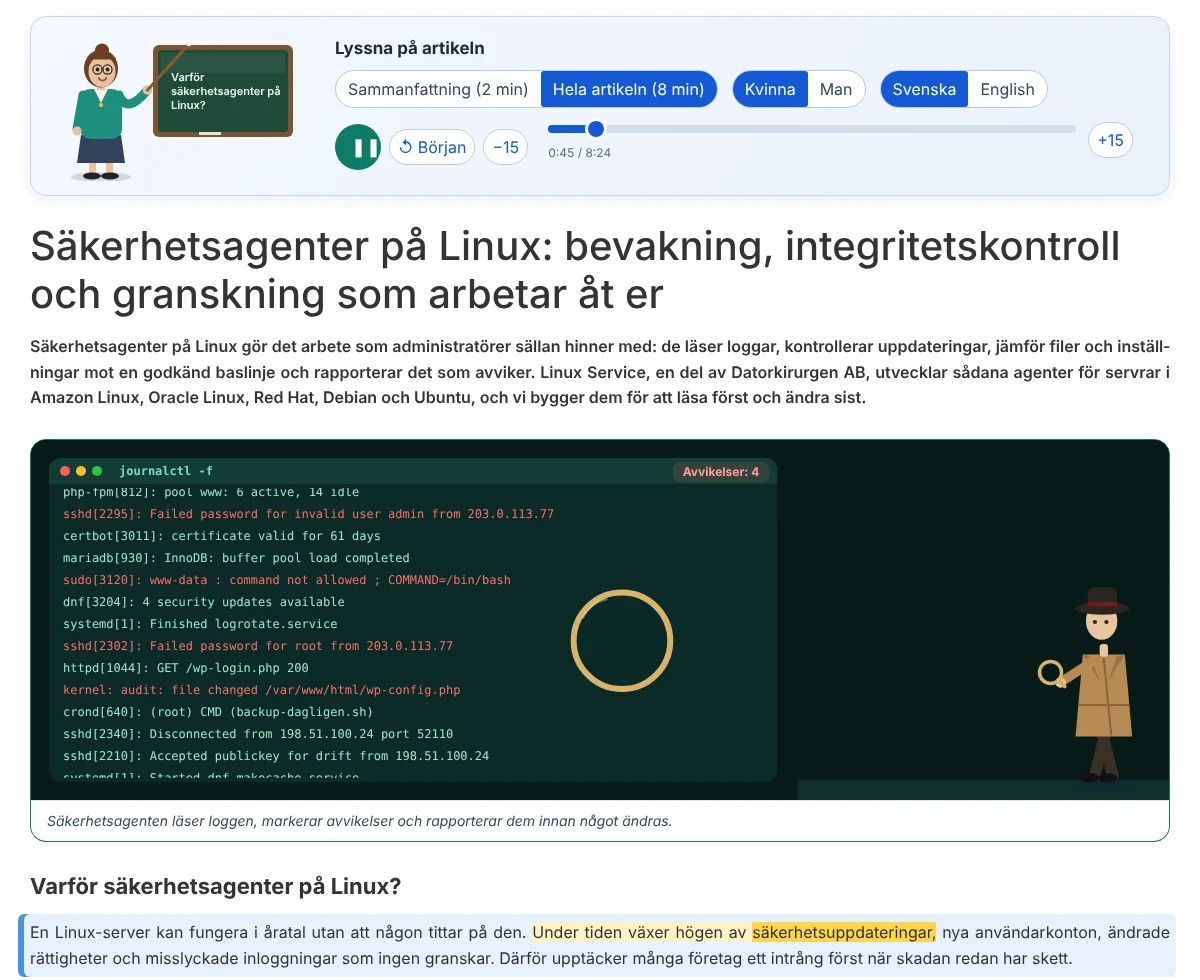
At the top of the article stands a cartoon teacher with a pointer next to a blackboard. The visitor chooses a summary of a couple of minutes or the whole article, a female or male voice and Swedish or English. Meanwhile, the blackboard shows the heading of the current section, and the teacher’s mouth moves in time with the voice.
At the same time, the highlighting follows the text: the paragraph being read gets a light blue background, and the words turn yellow in time with the voice, much like song lyrics. When the teacher reaches an image, it explains that the image is below and mentions its caption. With the buttons to start over and to jump 15 seconds back or forward, you can hear a paragraph again. You can also try the reader in the article on security agents for Linux (in Swedish).
Article read-aloud with Azure Speech and the Speech SDK
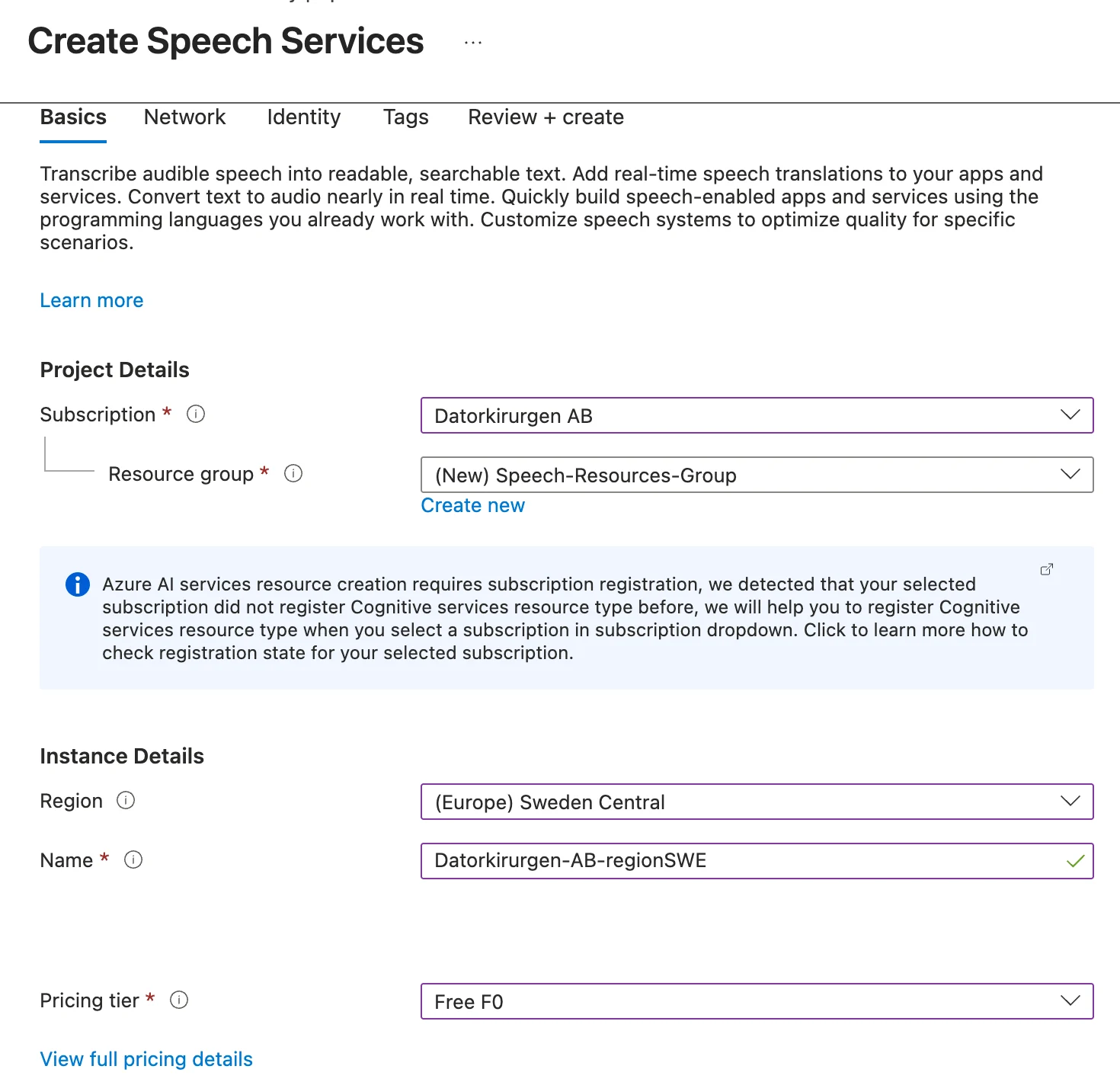
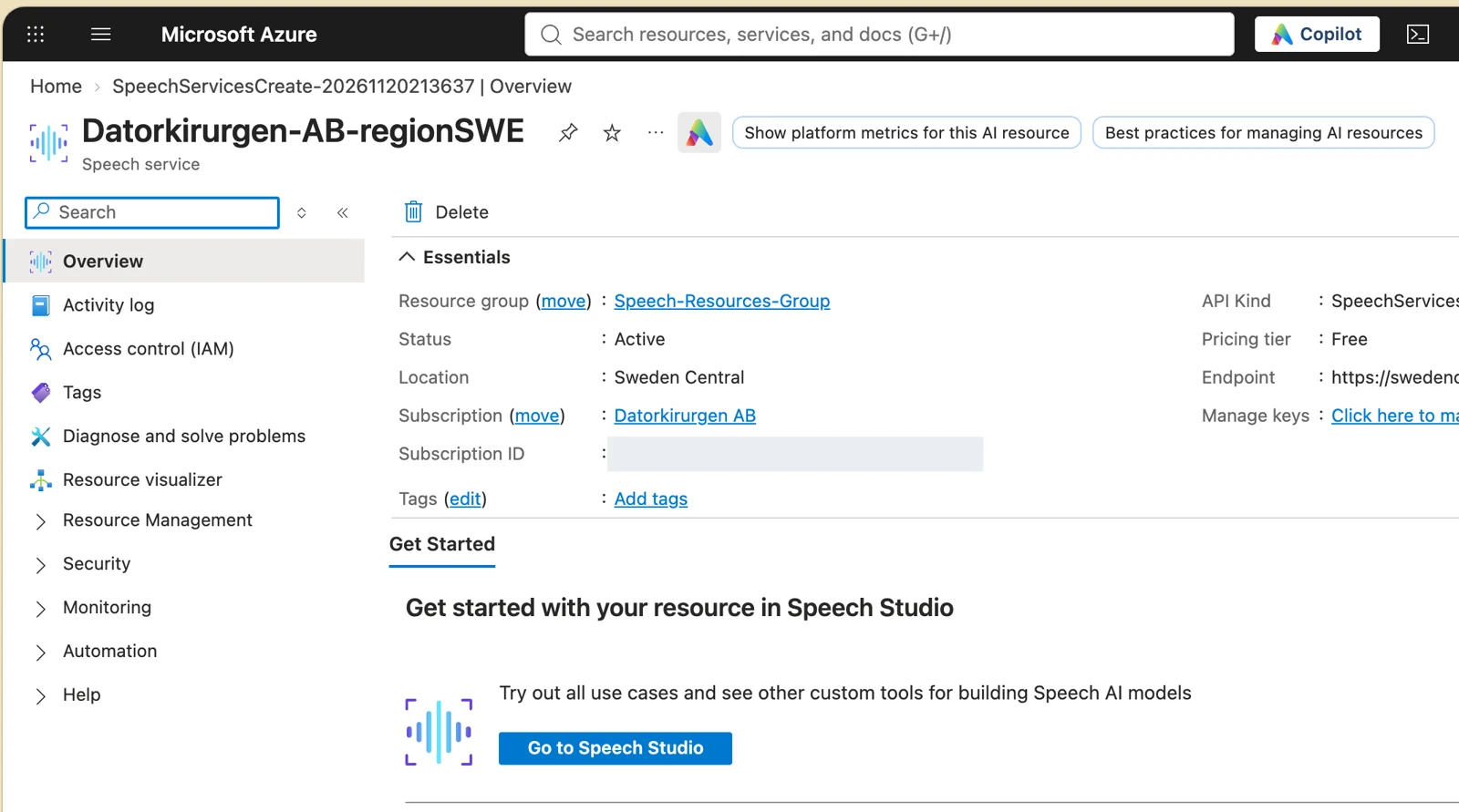
The voices come from Azure Speech in Microsoft Foundry, formerly Azure AI Speech. The service offers neural voices in more than a hundred languages, including the Swedish voices Sofie and Mattias and the British English voices Sonia and Ryan. We chose the Sweden Central region and the free F0 tier, which gives half a million characters per month.
With the Speech SDK, we place a bookmark before every sentence in the speech. In addition, the service returns the time of every word, so the highlighting follows the voice word by word instead of guessing. Furthermore, we respell English product names such as Red Hat, Ubuntu and Azure in the Swedish script, so that the Swedish voices pronounce them as in English.
The agent that checks and monitors the read-aloud
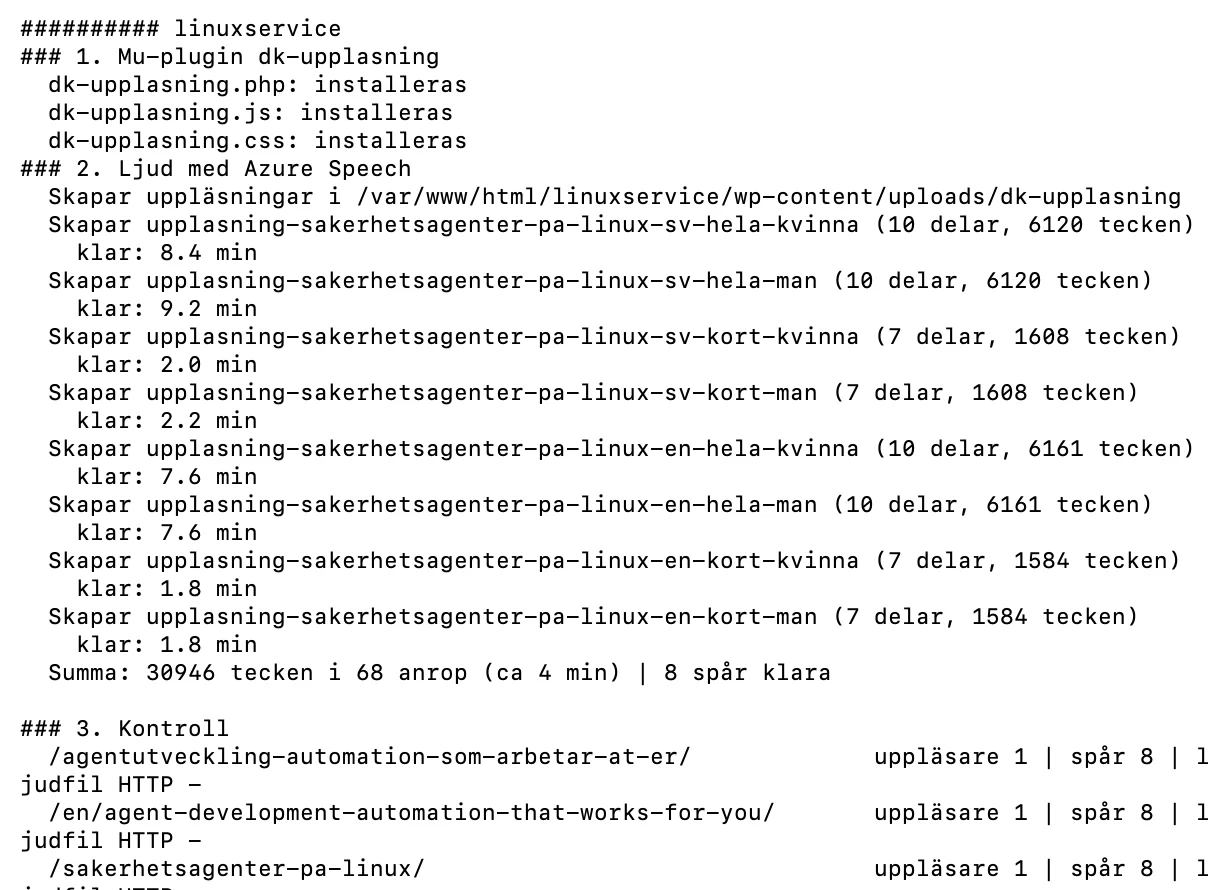
Before we published anything, we developed an agent that handles the whole chain. The agent builds the script from the article, creates the audio for every voice and language, checks that every audio file responds and that the player is on the page, and keeps a log of everything it does.
In addition, the agent follows the same rules as our other agents: first a dry run that shows what it would create, then explicit approval and finally the real run. If a text has not changed, the agent skips it, so a new run does not waste any quota. You can find more about the method in the article on agent development.
Security, cost and operation
The Azure key is stored in a protected file on the server and never reaches the visitor’s browser. We create the audio in advance, so every visit only fetches a finished audio file from our own server. Consequently, a visit costs nothing extra at Microsoft, and playback starts immediately.
Moreover, the subscription has a budget with email alerts, and the free tier stops instead of charging when the quota runs out. In this way, you get read-aloud with predictable cost and without tracking your visitors.
Contact Datorkirurgen AB about article read-aloud
Business IT Support, part of Datorkirurgen AB, has more than 30 years of experience of IT and builds read-aloud, agents and automation for businesses across Sweden. We can add read-aloud to your existing WordPress website, adapt the voices to your profile and create audio in both Swedish and English.
In addition, our prices start at €250 per hour excluding VAT, or as agreed, and we guarantee to solve the problem. Microsoft describes Azure Speech and the Speech SDK on learn.microsoft.com. Contact us via the form on our home page, and we will show you how read-aloud can work for you.
Frequently asked questions about article read-aloud
Article read-aloud for visitors
- What is article read-aloud?
- How do I start the read-aloud on an article?
- Can I choose between a female and a male voice?
- How long is the summary compared with the whole article?
- Can I listen to the article in Swedish?
- Does the read-aloud work on my phone?
- Can I listen in the car via CarPlay or Android Auto?
- How do I start over from the beginning?
- Why does the text turn blue and yellow during the read-aloud?
- What happens when the teacher reaches an image?
Azure Speech, voices and pronunciation
- What is Azure Speech?
- Which voices do you use?
- How do you make the Swedish voice pronounce Linux and Ubuntu correctly?
- What is the Speech SDK?
- How does the player know when a sentence starts?
- Can the voices speak languages other than Swedish and English?
- Is it possible to create a custom voice for our company?
- Which Azure region did you choose?
- Can you change the speed of the voice?
- Does the read-aloud work with Elementor and other WordPress themes?
Cost, security and implementation
- What does article read-aloud cost in Azure?
- Is the free F0 tier enough for our website?
- Does every visit cost anything at Microsoft?
- Where do you keep the Azure key?
- Does the reader track visitors?
- Does read-aloud replace the requirements of the accessibility act?
- What does the agent that checks the read-aloud do?
- How do you update the audio when an article changes?
- Can you add read-aloud to our existing articles?
- How do we get started?