
Exchange Online PowerShell gives administrators full control over mailboxes, permissions, rules and security settings in Microsoft 365. Business IT Support installs the module, connects safely and solves the errors that often stop the work.
What Exchange Online PowerShell is used for
In fact, many settings in Exchange Online exist only in PowerShell, or are much faster there. For example, we use it to give delegated access to mailboxes, find forwarding rules to external addresses, change retention and enable DKIM. In addition, it produces reports on mailbox sizes and permissions.
During incidents, PowerShell is especially valuable. For instance, we can list every inbox rule in the organisation in minutes, which often reveals an attacker who forwards email from a hacked account.
Installing the Exchange Online module step by step
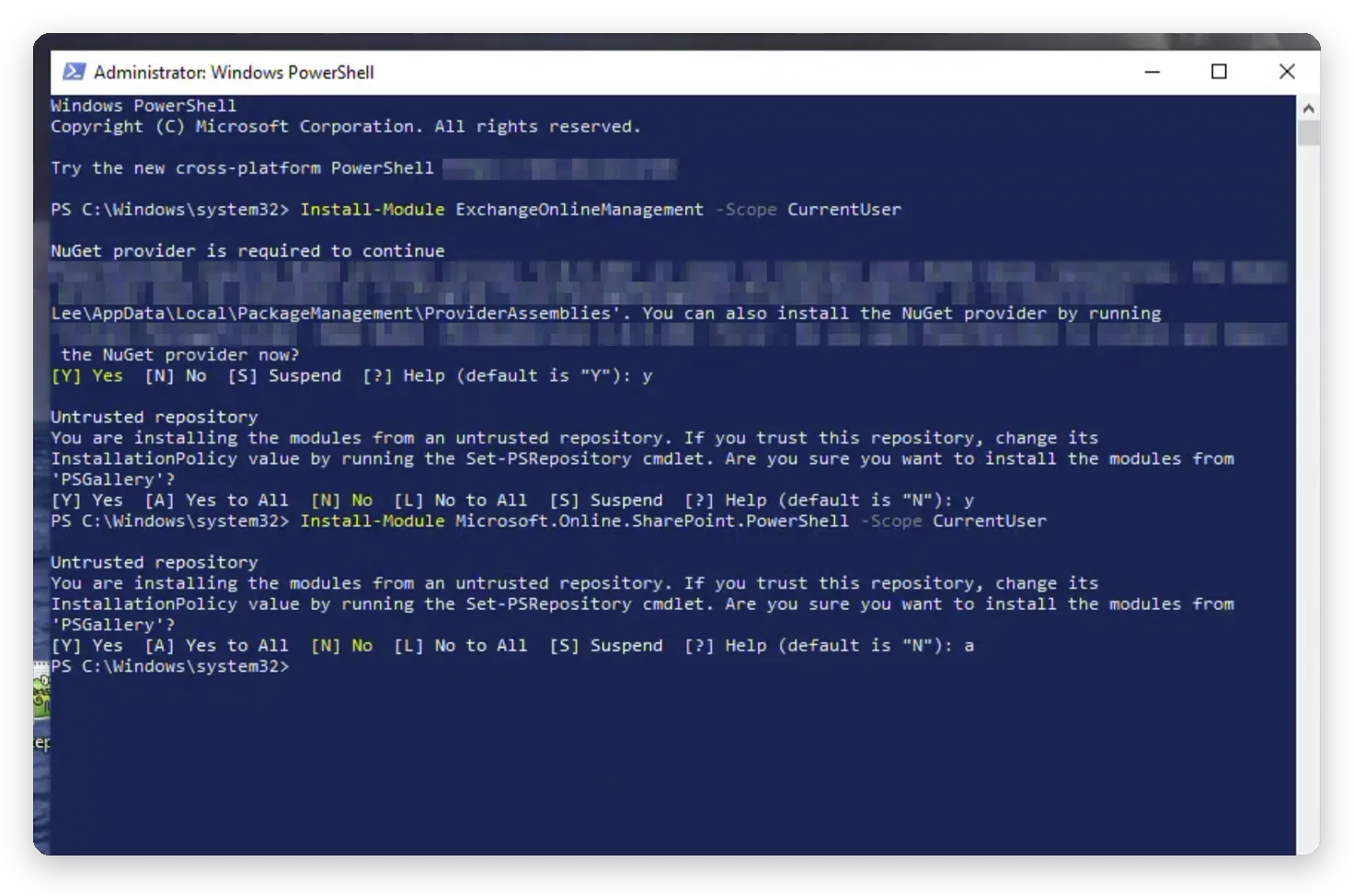
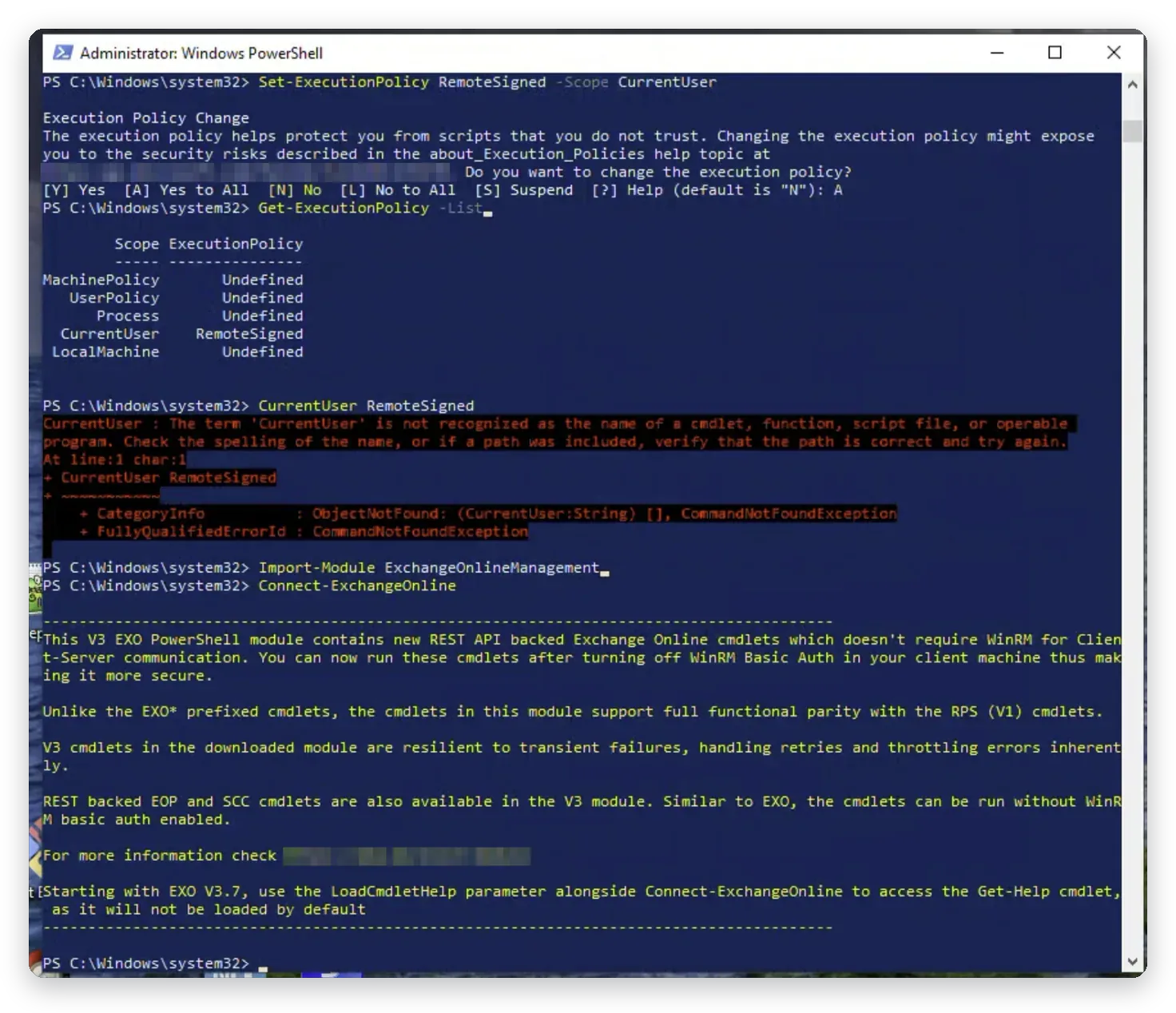
To begin with, we open PowerShell 7 or Windows PowerShell as administrator. Then we make sure that the NuGet provider and PowerShellGet are current, since old versions often block the installation. After that, we install the ExchangeOnlineManagement module from the PowerShell Gallery.
Finally, we connect with Connect-ExchangeOnline and sign in with multi-factor authentication. The module uses modern authentication and the REST-based cmdlets, which are faster and more reliable than the old remote PowerShell.
Common errors and how we solve them
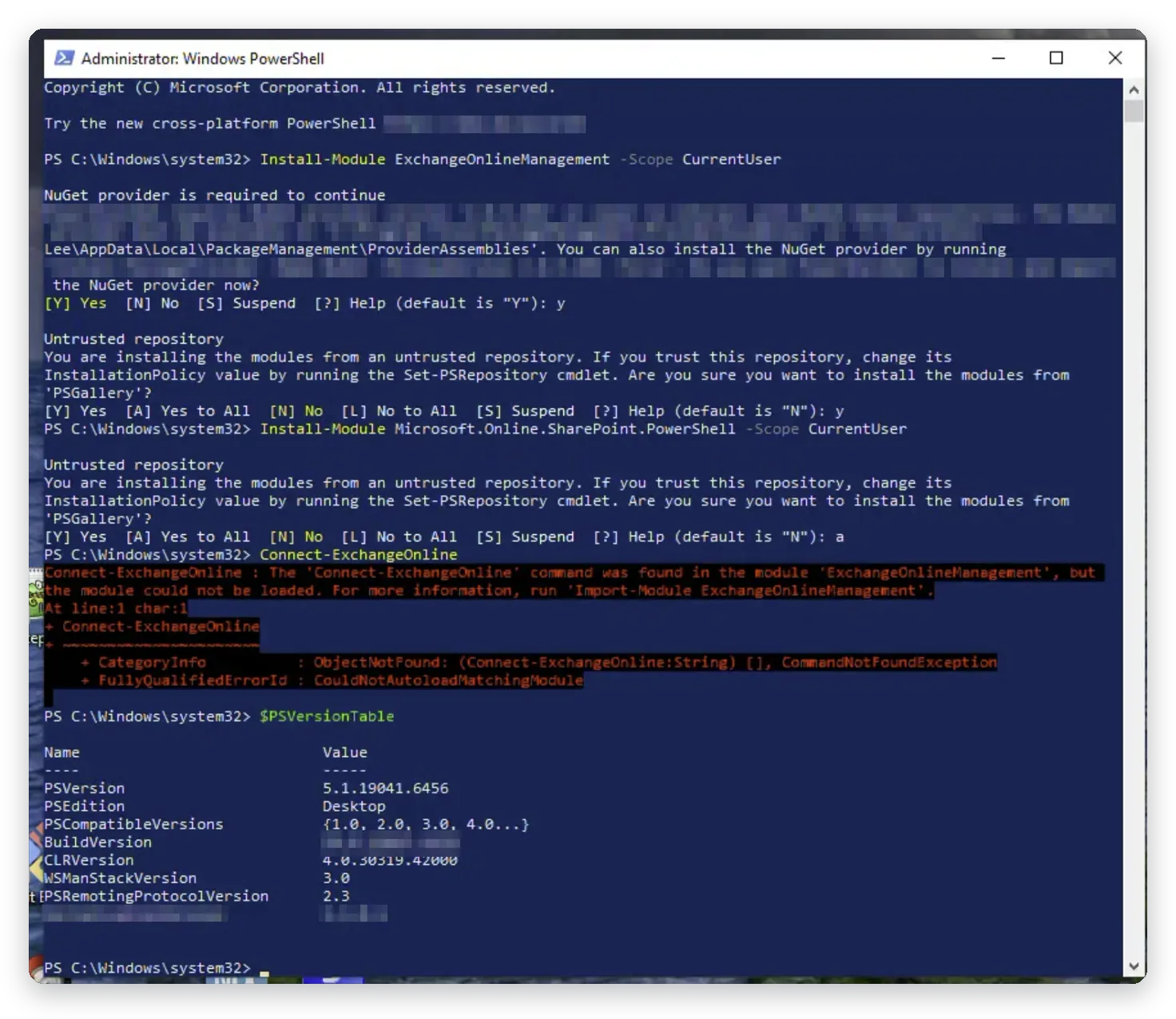
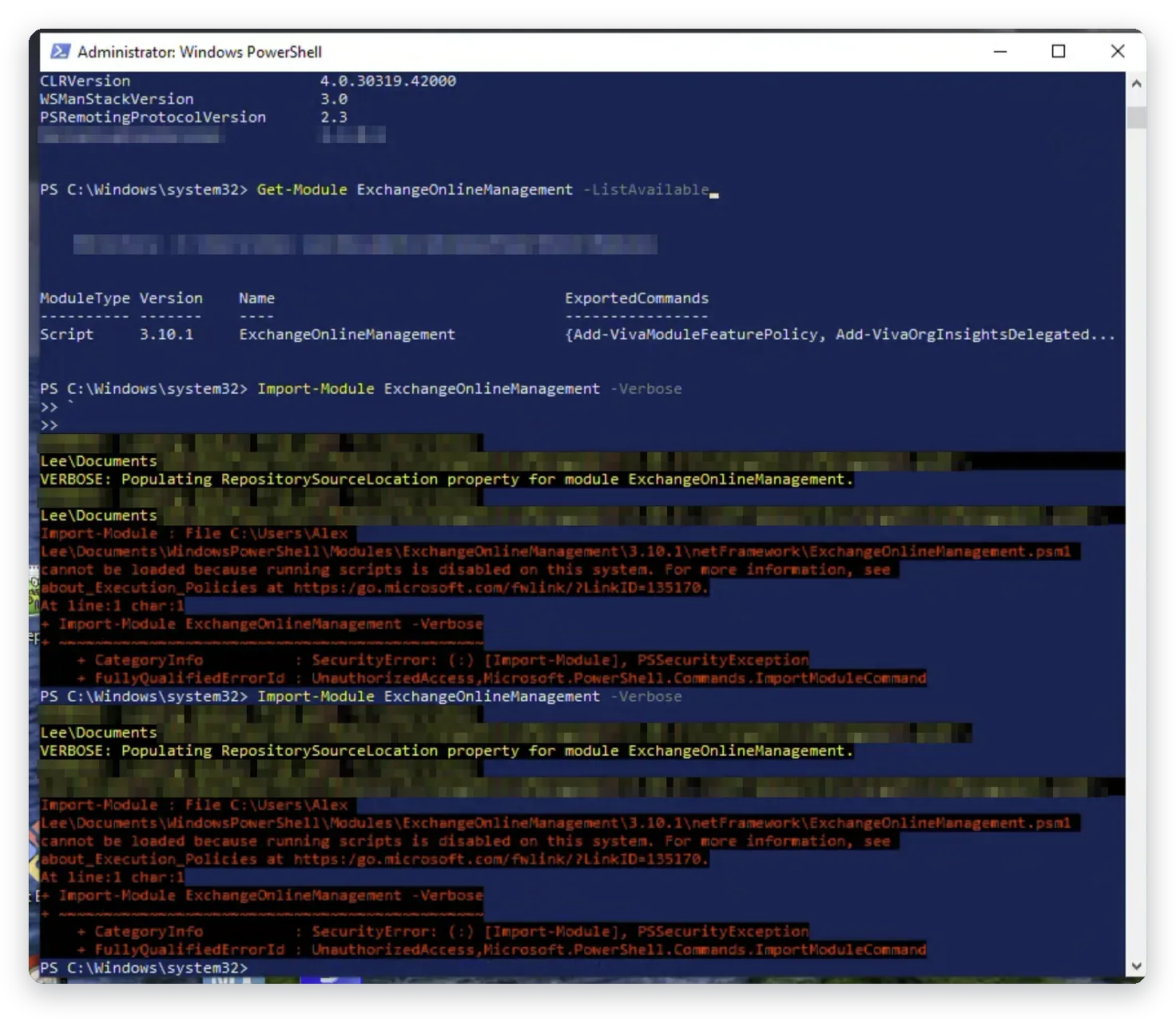
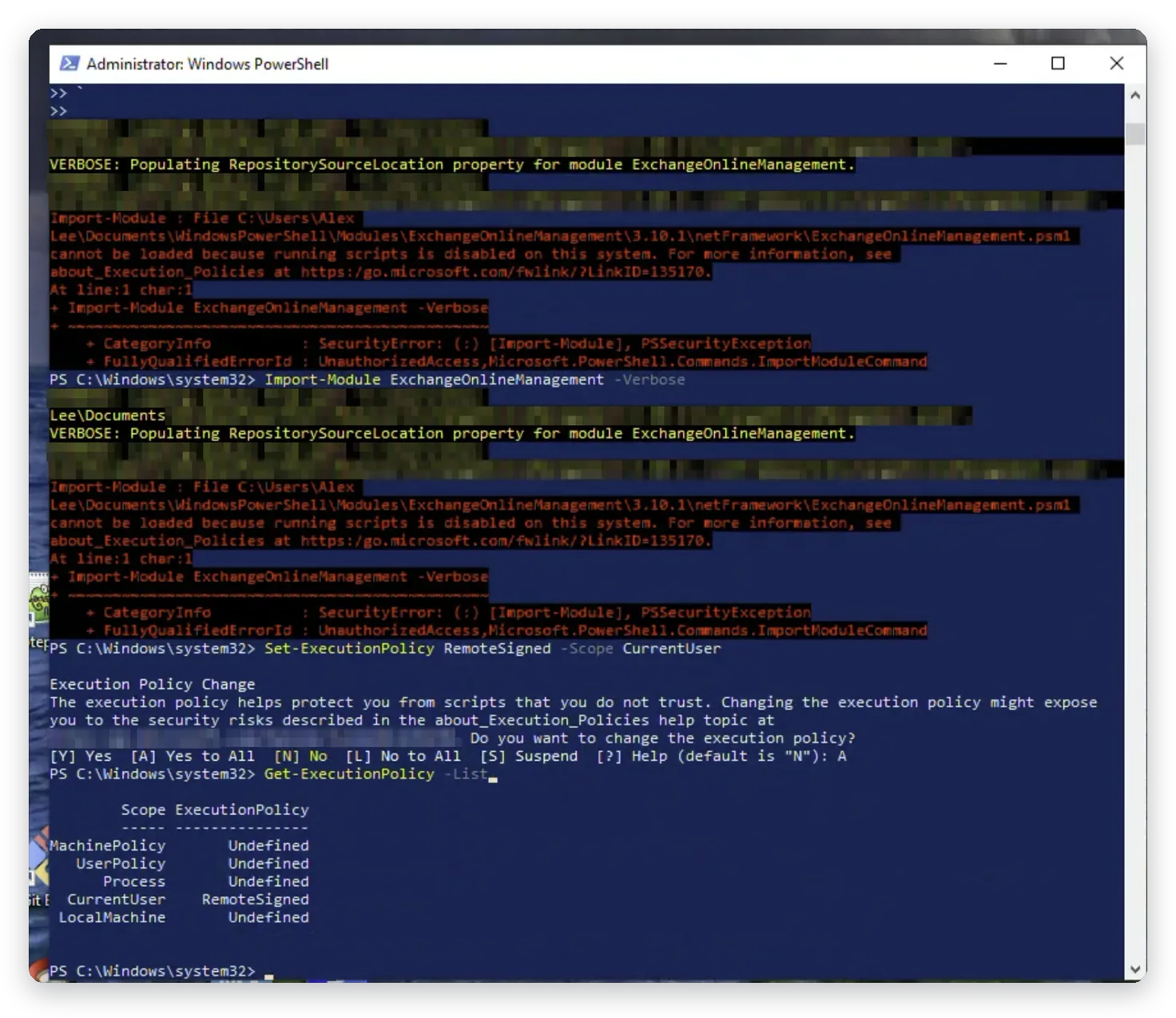
For example, a frequent error is that the execution policy blocks scripts. In that case, we set RemoteSigned for the current user instead of turning off the protection completely. Another common problem is an outdated module version that lacks new cmdlets or fails to connect.
Furthermore, connection errors often come from conditional access, a proxy or a missing administrator role. Therefore, we read the error message, check the sign-in log in Entra ID and fix the cause. As a result, the connection works again, and the same error does not return.
Secure use in practice
Administrators should use separate admin accounts with multi-factor authentication and only the roles they need, for example Exchange Administrator instead of Global Administrator. Moreover, we disconnect the session when the work is done.
For automated scripts, we use app-only authentication with a certificate rather than a stored password. In addition, the unified audit log records every change, so the work stays traceable.
Furthermore, we document the most common commands for your IT staff in a short guide. For instance, it covers how to give access to a shared mailbox, how to find forwarding rules and how to check the size of a mailbox. As a result, simple tasks no longer need an external consultant.
Contact Datorkirurgen AB about Exchange Online
Business IT Support is part of Datorkirurgen AB, which has more than 30 years of experience in IT for businesses. We administer Exchange Online and Microsoft 365 with PowerShell for companies remotely anywhere, and on site in Stockholm and across Sweden.
In addition, our prices start at €250 per hour excluding VAT, or as agreed, and we guarantee to solve the problem. Microsoft describes the module in its Exchange Online PowerShell documentation. Contact us, and we will help you get started.
Frequently asked questions about Exchange Online PowerShell
Basic questions
- What is Exchange Online PowerShell?
- Which module do we need?
- Should we use PowerShell 7?
- How do we install the module?
- What is the NuGet provider?
- How do we connect?
- Does it support multi-factor authentication?
- Which role do we need?
- Does the module work on a Mac?
- How do we update the module?
Common tasks
- How do we give access to a shared mailbox?
- How do we find forwarding rules?
- How do we list all inbox rules?
- How do we enable DKIM with PowerShell?
- How do we see mailbox sizes?
- How do we change retention?
- How do we block external forwarding?
- How do we export permissions?
- Can we create many mailboxes at once?
- How do we find a compromised mailbox?
Errors and support
- Why does the execution policy block the script?
- Why can we not connect?
- Why is a cmdlet missing?
- Can conditional access block PowerShell?
- What is app-only authentication?
- Where do we see what administrators changed?
- Can you write scripts for us?
- Do you work outside office hours?
- Do you offer ongoing support?
- How do I contact you about Exchange Online?