
Unauthorised administrators in WordPress are one of the clearest signs that someone has broken into the website. Business IT Support traces them in the database, finds what the attacker did and closes the hole, step by step.
The database reveals what the attacker did
In general, attackers rarely stop at one change. Typically, they create one or more administrator accounts, publish spam posts and plant code that keeps them inside. Many of these traces never show in the WordPress dashboard, because the attacker hides them on purpose.
The database, however, does not lie. With direct queries, we see every user, every role and every post, including those the dashboard does not list. Therefore, database forensics is the fastest way to understand the full extent of an intrusion.
Step 1: check the server load and alerts
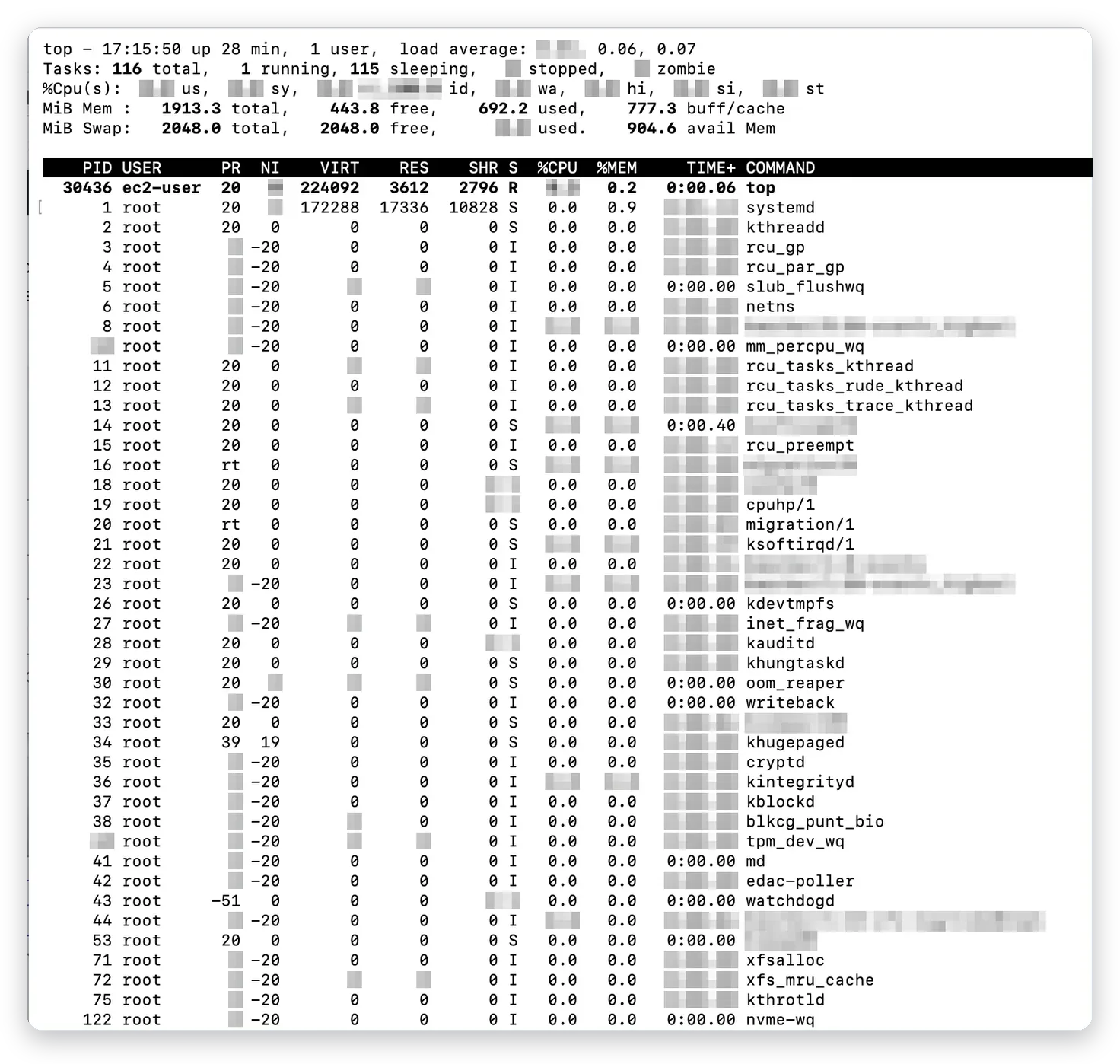
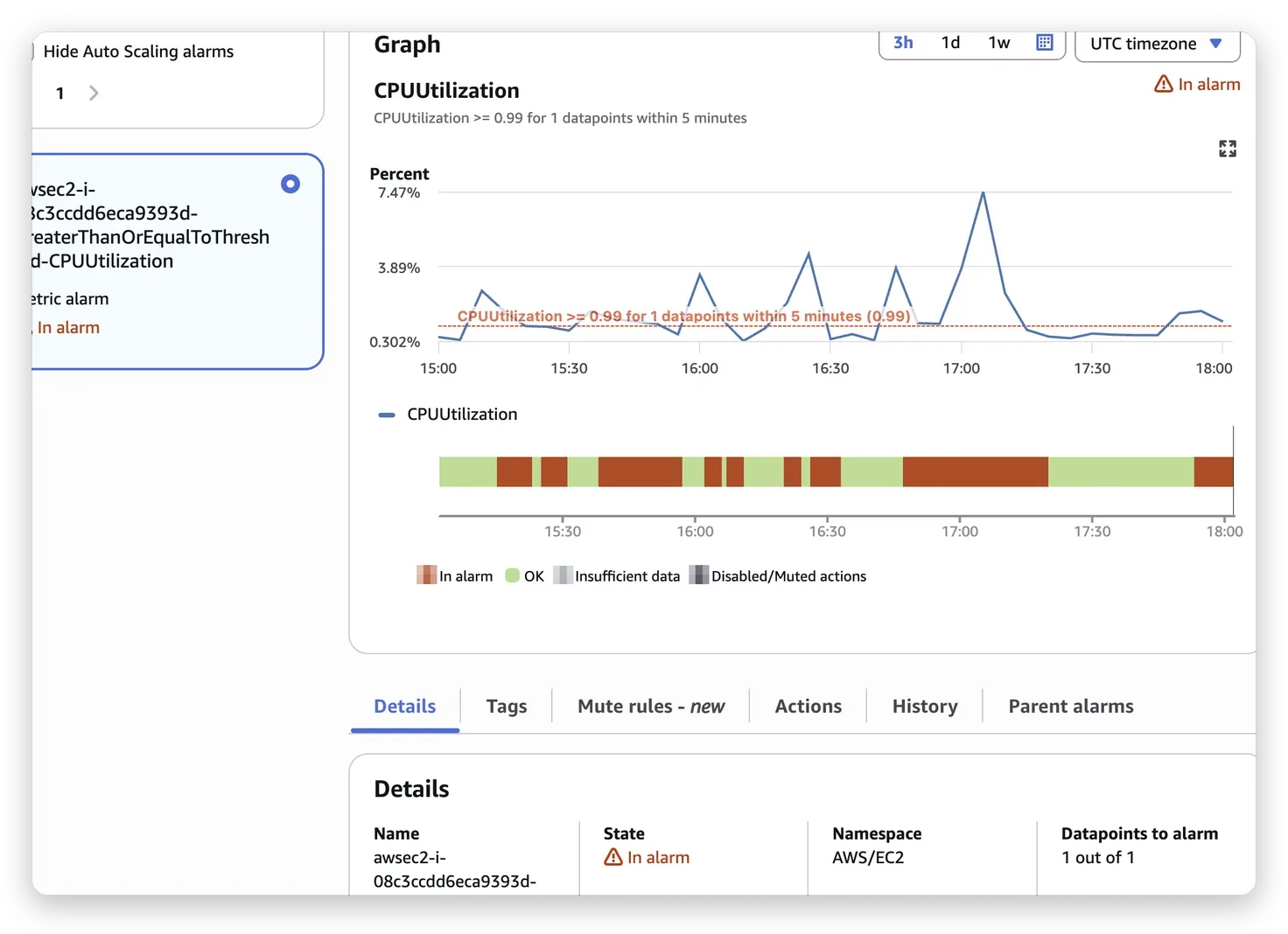
First of all, we look at the server. A sudden rise in CPU load often means that the site sends spam, mines cryptocurrency or serves thousands of spam pages to search engines. For example, the command top shows which processes use the resources.
In addition, monitoring alerts, such as CloudWatch alarms on AWS, show when the problem started. As a result, we can compare the time with log entries and database changes, which helps us find the entry point.
Step 2: search for posts the attacker published
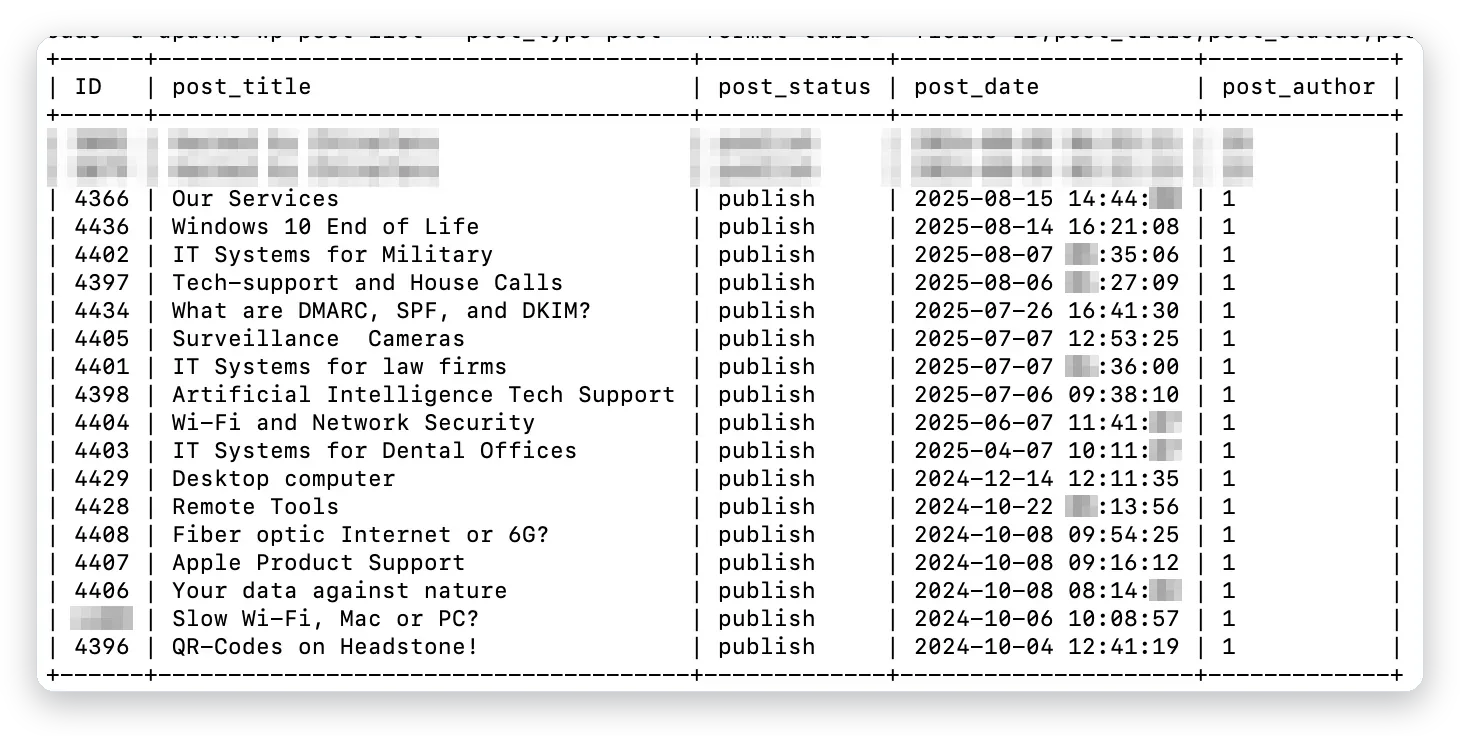
Next, we search the posts table for content published at odd hours, by unknown authors or with typical spam words. Moreover, we look for posts with the status private or draft that still receive traffic, because attackers use them to hide spam from the owner.
In addition, we export the suspicious posts before we delete them. Consequently, we keep evidence of what happened, which can matter for insurance, reporting or a later investigation.
Step 3: review every administrator account
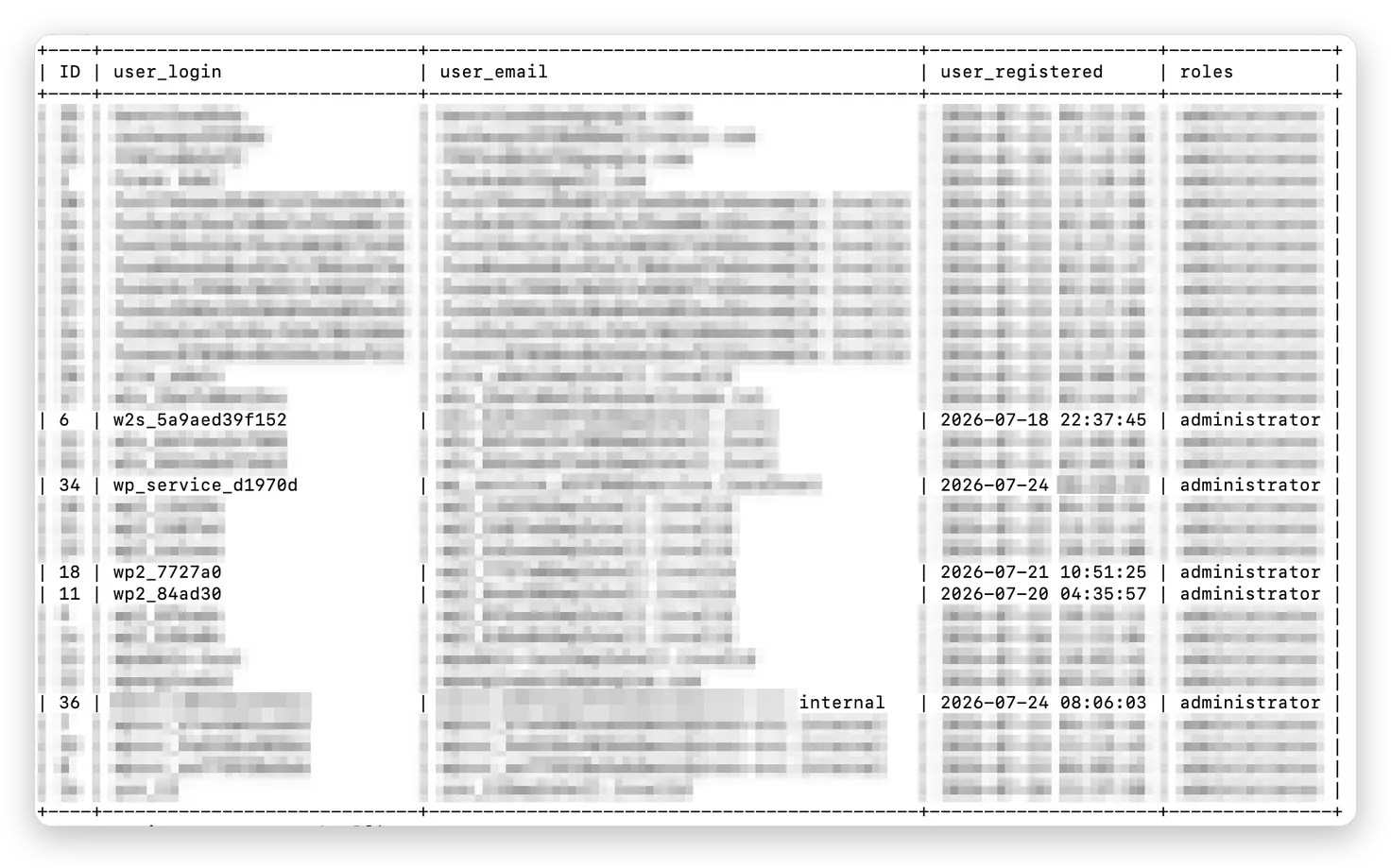
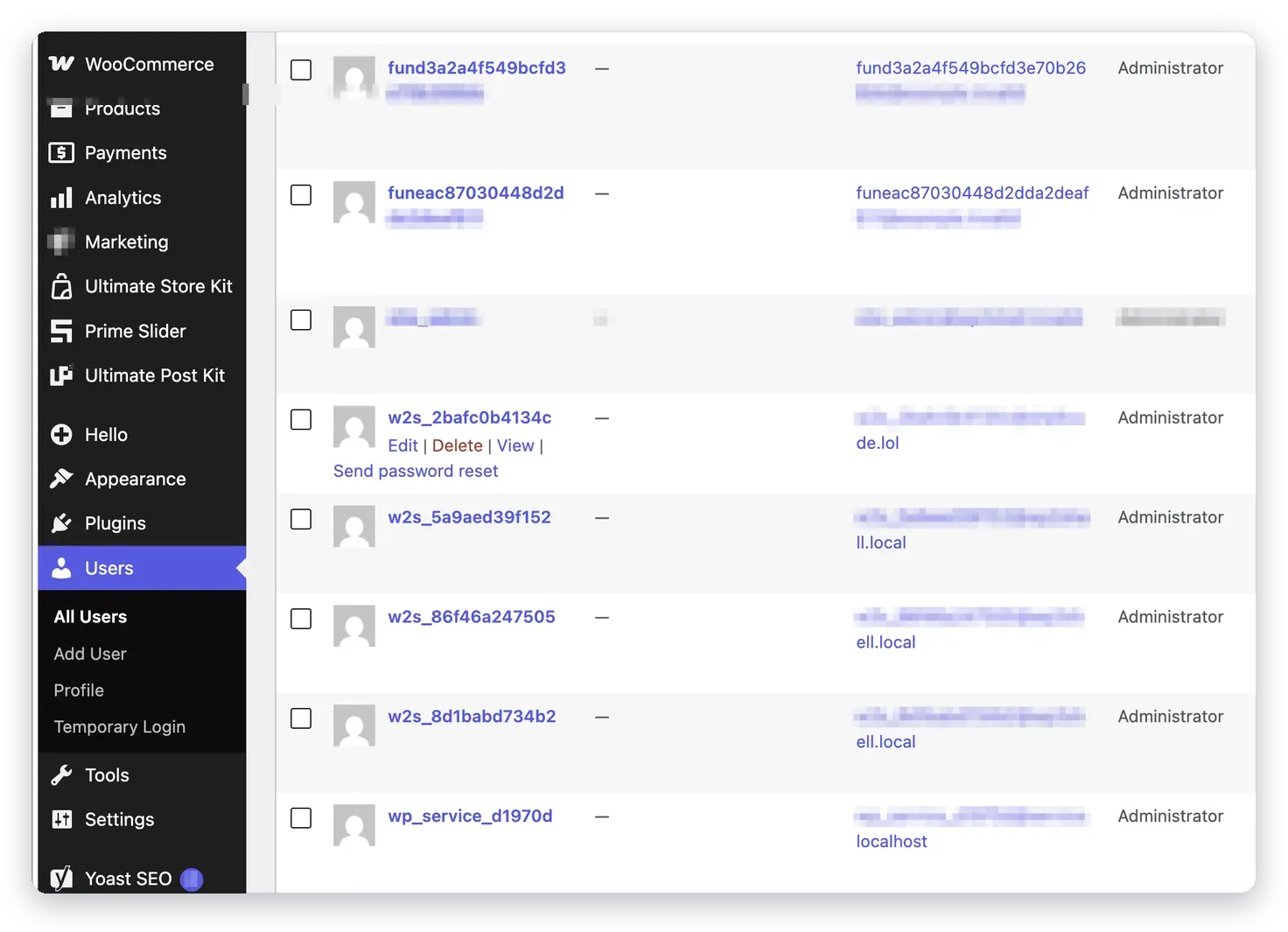
After that, we list all users with the administrator role directly in the database, together with their email address and registration date. For example, unauthorised administrators often have generic names, unusual email domains or a registration date that matches the attack.
However, attackers sometimes also change the role of an existing user through the capabilities field in the usermeta table. For that reason, we check the roles in the database rather than trusting the user list in the dashboard alone.
Step 4: clean up, prevent and follow up
Finally, we remove the unauthorised administrators, change every password and replace the security keys in wp-config.php, which signs out all sessions. In addition, we remove planted files, update WordPress, themes and plugins, and close the vulnerability the attacker used.
After the clean-up, we monitor the site closely for some weeks. For instance, we set alerts for new administrators, file changes and unusual load. As a result, a new attempt becomes visible at once.
Contact Datorkirurgen AB about unauthorised administrators
Business IT Support is part of Datorkirurgen AB, which has more than 30 years of experience in IT for businesses. We investigate hacked WordPress sites, remove unauthorised administrators and harden the site for companies remotely anywhere, and on site in Stockholm and across Sweden.
In addition, our prices start at €250 per hour excluding VAT, or as agreed, and we guarantee to solve the problem. WordPress gives advice in its WordPress hardening guide. Contact us as soon as you suspect an intrusion, because every hour counts.
Frequently asked questions about unauthorised administrators
Questions about unauthorised administrators
- How do I know if someone has broken into our WordPress site?
- Why does an attacker create a new administrator?
- Why do I not see the account in the dashboard?
- How do you find hidden administrators?
- Can an attacker change the role of an existing user?
- Should we delete the account at once?
- What happens to posts the account created?
- Do we need to change every password?
- What are the WordPress security keys?
- Can the attacker come back?
The investigation step by step
- Why do you check the server load first?
- Which logs do you read?
- How do you find the entry point?
- Do you keep evidence of the attack?
- How do you find spam posts in the database?
- Can you find planted files?
- How long does an investigation take?
- Do you need access to the server?
- Can you investigate a site on shared hosting?
- Should we report the intrusion?
Prevention and support
- How do we stop it from happening again?
- Should we use two-factor authentication?
- How often should we update plugins?
- Can you monitor our site?
- Can you harden our WordPress installation?
- Do you help with Google warnings after a hack?
- Can you restore the site from a backup?
- Do you work outside office hours?
- Do you offer ongoing support?
- How do I contact you about unauthorised administrators?