
A SonicWall firewall protects the company network only when it has the right configuration. Business IT Support installs, configures and supports SonicWall firewalls, from the first rules to VPN connections with Azure and regular reviews.
Why the business needs a well-configured SonicWall firewall
In short, the firewall stands between the internet and every computer, server and printer in the office. If it has weak rules, old firmware or open administration ports, attackers have an easy way in. Therefore, a SonicWall firewall needs correct configuration from day one and regular maintenance afterwards.
SonicWall offers strong features such as intrusion prevention, gateway antivirus, content filtering and SSL VPN. However, many of them stay inactive or poorly tuned. We make sure that the features you pay for actually protect you.
Installation and basic configuration
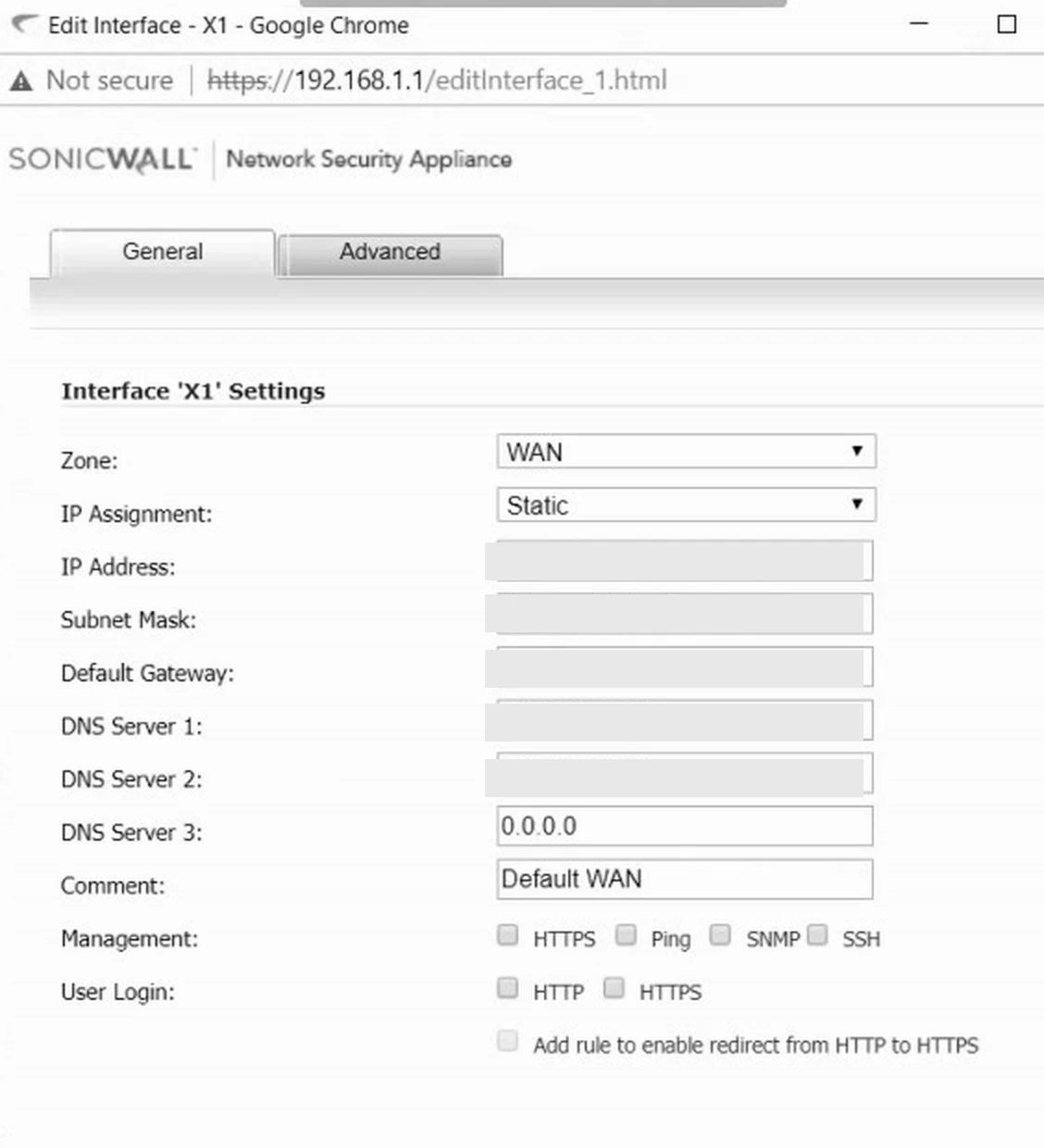
First, we update SonicOS to a supported version and register the device. Then we configure the interfaces and zones, for example WAN, LAN, DMZ and a separate zone for guests and IoT devices. We also set up DHCP, DNS and time synchronisation.
Furthermore, we change the default administrator account, enable multi-factor authentication for administration and block management access from the internet. As a result, the SonicWall firewall itself becomes hard to attack.
Rules, security services and filtering
In general, good rules allow only what the business needs and block everything else. We build the rules zone by zone and give each one a clear name and comment. Moreover, we enable logging on important rules, so we can follow up traffic later.
Next, we activate and tune the security services: intrusion prevention, gateway antivirus, anti-spyware, botnet filtering, geo-IP filtering and content filtering. In addition, we enable decryption of HTTPS traffic where the business accepts it, because many threats hide in encrypted traffic.
VPN, remote access and cloud connections
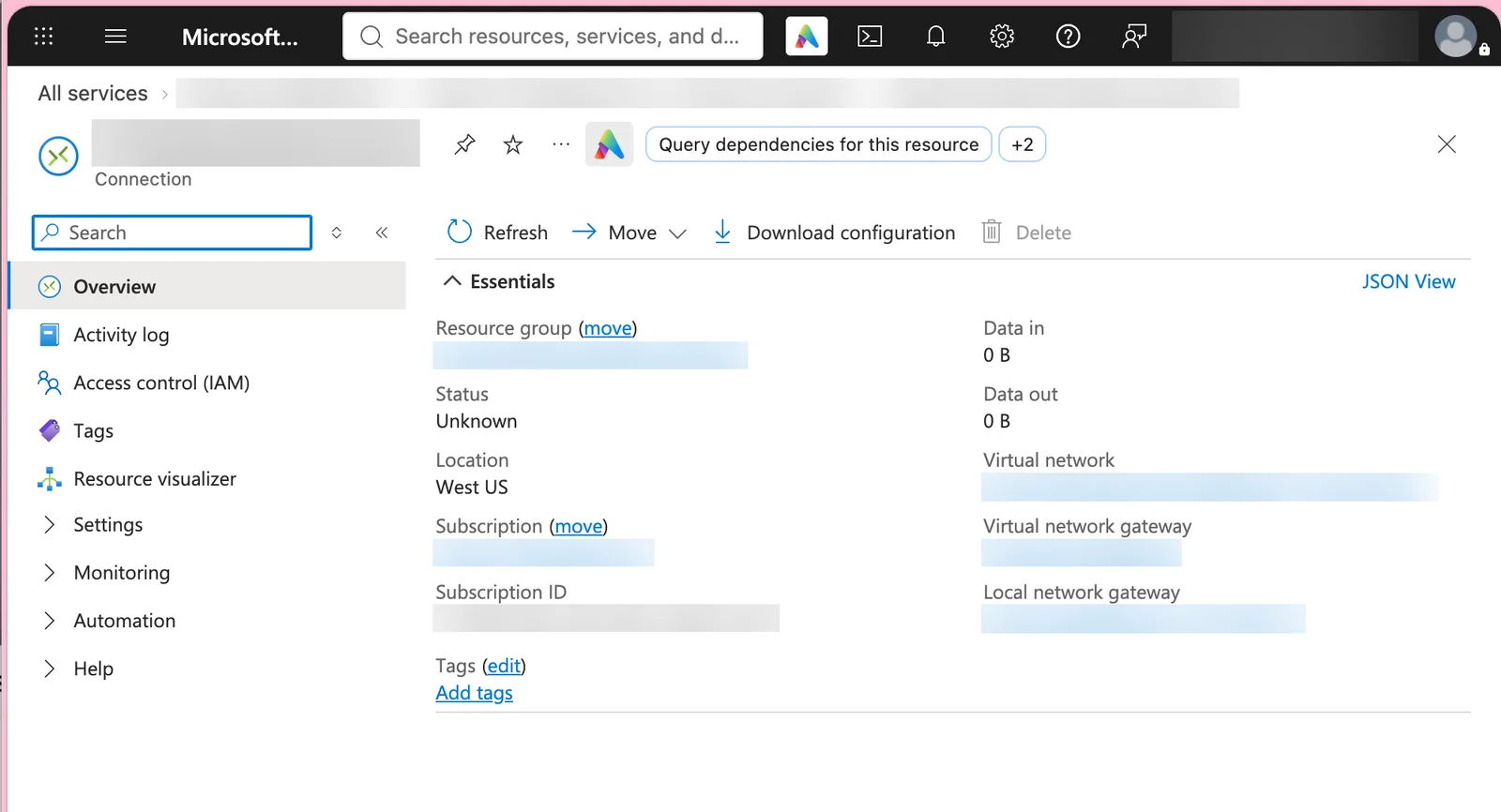
SonicWall supports both site-to-site VPN and remote access for staff. For instance, we connect the office to Azure, AWS or another office with IPsec tunnels. For remote staff, we use SSL VPN or Global VPN Client with multi-factor authentication.
Moreover, each VPN gets its own rules, so remote users only reach the systems they need. Consequently, a stolen laptop does not give access to the whole network.
Updates, monitoring and backup
SonicWall regularly releases firmware that fixes security holes. We follow the advisories and install important updates quickly, and we always back up the configuration first. In addition, we keep an offline copy of the settings, so a replacement device can start within an hour.
For monitoring, we use the built-in reports and send logs to a central system when needed. Therefore, we can see blocked attacks, VPN sessions and unusual traffic patterns.
Troubleshooting, replacement and support
For example, typical cases include a VPN that will not connect, a website that the content filter blocks by mistake or slow internet after a firmware update. We read the logs, use packet monitor and test step by step until we find the cause.
When an old firewall reaches end of support, we migrate the configuration to a new SonicWall firewall or another brand. Moreover, we clean out old rules during the migration, so the new device starts with a tidy configuration.
Contact Datorkirurgen AB about your SonicWall firewall
Business IT Support is part of Datorkirurgen AB, which has more than 30 years of experience in IT for businesses. We configure and support SonicWall firewalls for companies remotely anywhere, and on site in Stockholm and across Sweden.
Our prices start at €250 per hour excluding VAT, or as agreed, and we guarantee to solve the problem. SonicWall describes its products on sonicwall.com. Contact us, and we will review your firewall configuration.
Frequently asked questions about SonicWall firewall
SonicWall firewall basics
- What does a SonicWall firewall do?
- Which SonicWall model suits a small office?
- What is SonicOS?
- What is a zone?
- What are the security services?
- Do we need a licence for the security services?
- How long does a SonicWall last?
- Can a SonicWall protect guest Wi-Fi?
- What is geo-IP filtering?
- How do we register the device?
Configuration and VPN
- How do we build good firewall rules?
- What is intrusion prevention?
- Should we decrypt HTTPS traffic?
- How do we connect the SonicWall to Azure?
- What is SSL VPN?
- Can we require MFA for VPN?
- How do we connect two offices?
- How do we block a website?
- How do we open a port safely?
- How do we protect the admin interface?
SonicWall firewall operations and support
- How often should we update the firmware?
- How do we back up the configuration?
- Why is the internet slow after an update?
- Why does the VPN not connect?
- How do we read the firewall logs?
- What is packet monitor?
- Can you replace our old firewall?
- Can you migrate from another brand?
- Do you offer ongoing support?
- How do I contact you about our SonicWall firewall?